
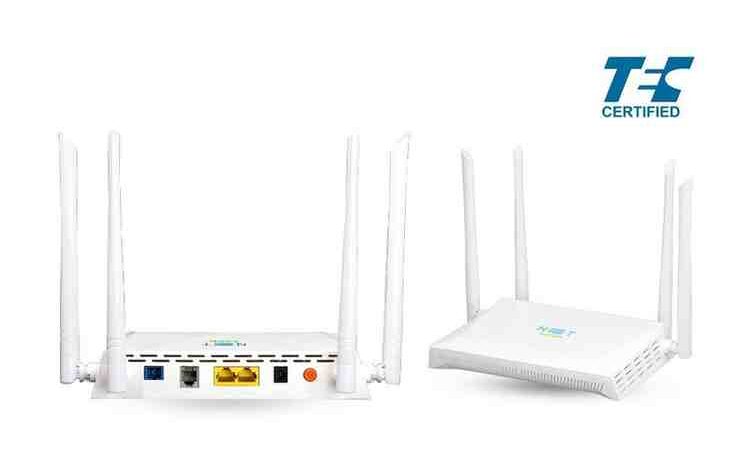
You might think you want band steering on your home router, but maybe you don’t :)

If you are having problems with your WiFi network at home, it could be a band steering problem. Let me explain.

If you have home Internet and a relatively new router which supports WiFi, it may support communications on two bands: 2.4 Ghz and 5Ghz. It’s also likely that you have band steering. What this means is that you only have one connection point in your network, and the router will steer your device to the appropriate band depending on which one can deliver better performance at a given moment. This piece explains it well.

Normally this is a good thing. But I am here to say that some times it is not.

One of those times happened on my router last week. I was getting terrible response time with my WiFi. I was pinging 8.8.8.8 and instead of it taking less than 30ms it was taking 300ms or 500ms or even greater than 1000ms. I tried everything to reset the router, but nothing worked. I thought maybe some of the older devices were causing the problem on my network somehow. I wanted to put them on the 2.4Ghz band and have my computer joing the 5GHz band, which is something that worked for me years ago. Alas, my router has band steering, so we were all getting lumped together.

Fortunately it was easy to go into the router settings and disable band steering. I did that and created a default connection point and a 5GHz connection point. When I did that, I discovered an interesting thing.

It turns out the 2.4Ghz band range was fine! When I joined it, my response times for my pings were down in the 20-25ms range. However, when I joined the 5GHz band, my response times were terrible again! I don’t know why that is. I suspect there’s a problem with my router. But as some folks like to say, that is a January problem.

So the next time you are having WiFi problems and you have the choice of accessing your network through different bands, consider turning off band steering and see if that helps isolate the problem.

When was the last time you refreshed your router? It could be time to do that

How long have you had your router in your house? Is it relatively new? If so, that’s good. However you might be like me and have a router that’s 3 or 4 years old. If that’s the case, it’s time to replace your router. Contact your internet provider and ask them if they can refresh your router with a newer one. (And if they can’t or won’t, consider switching internet providers.)

You might think: I don’t want to go through the hassle of that. That’s what I thought too. It turns out it was a very easy thing to do in my case. I suspect that will hold true for you.

Hassle aside, what I also noticed is that I started getting much better upload and download speeds with the newer router without having to upgrade my plan. You might find the same thing, and that’s a good thing indeed.

So if you haven’t refreshed your router in a number of years, consider getting a newer one.

PS it doesn’t have to be a new device. In fact, the upgrade cost might be free if it’s slightly older than new but more recent than your current router.

On the recent Rogers outage, some modest thoughts

With regards to the recent Rogers outage, I have to say I have great sympathy for the IT staff who had to deal with it, and unlike many, I don’t have any great solution to it. I have even greater sympathy for the millions of users like myself who were taken offline that day.

In the short term, the mandate given by Minister Champagne for the telcos to produce clear resiliency plan in 60 days is a good start. At a minimum, certain services like 911 should never be allowed to fail for anyone. As for other services, that is up to the telcos to make proposals. Perhaps failproof low bandwidth services like telephony could be taken up as well. We will see. As always, there will be cost/benefit tradeoffs.

Some people were saying that the problem is with concentration of services with only a few providers. In fact there are other provides besides Bell and Rogers, as BlogTO pointed out. I use one of them: Teksavvy. Despite good price points and good service, they hold only a small fraction of the market. If people want to vote for more diversity, they can do it with their dollars. I suspect they won’t.

In the end, people want low cost, easy of use, simple telco services. Rogers and Bell offer that. That said, I would advise people at a minimum to have their phone service and their internet service on two different providers. Heck if it is really important, get a landline. But at a minimum, split your cell phone service and your internet service. If your cell phone provider goes down, you can still contact people using the internet. You can even get a service like Fongo that will let you make phone calls. And if your Internet service goes down, you can use your phone as a hotspot to access the Internet. Will it cost more? Of course. Higher availability always costs more.

We are going to have these outages every few years, I suspect. Most companies, the telcos included, have a few big and complex network devices at the heart of their network. Those devices depend on specific software to run, and sometimes upgrading that software will fail. When it does, it may cause these outages. Just like it did to these companies in 2018.

Telecommunications is different than other utilities. In order to offer new services regularly (e.g. 5G, high speed Internet), they need to continually upgrade their technology. Electricity, water, and gas are all commodities: telecommunication services are not. The need telcos have to make improvements will always put them and us at risk.

This is not to absolve them: I think Rogers and the other telcos need to follow up on this outage with better plans to be more reliable, and the Government needs to oversee this both from a technology and regulatory viewpoint. This in the end will benefit everyone, in my humble opinion.

(All opinions expressed here are mine, not my employers. I have no inside knowledge of the services or technology provided by Rogers, other than what I read in the media, like everyone else. My opinions are based on working in IT networking since the early 1990s.)

On connecting a Chromebook to a wifi network using LEAP like the one at Dalhousie

Here’s the problem: you are trying to connect your Chromebook to a wifi network like the one at Dalhousie University that uses the LEAP protocol. That protocol is likely well and good if you use an up to date Windows or MacOS computer. But as I found, it’s no good for the Chromebook I had because it did not have LEAP as an option. What to do?

Well if you get into the network settings and you go with the EAP-TTLS with the settings above, you can get your device to connect. (The above does not show the user I’d and password fields, but you will need those).

Good luck!