
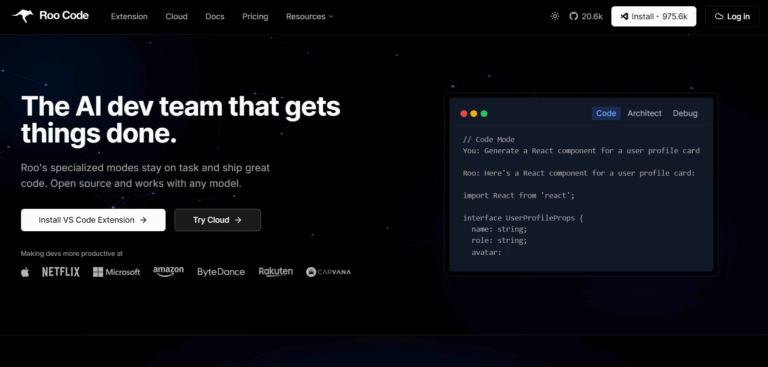
I’ve been using AI tools to write code lately. Vibe coding I guess, though I am not a fan of the term. A few months ago I was using Copilot and Claude to do it. In the last few weeks I’ve been leaning heavily on IBM BOB (which I’ll write about soon). I’ve also been experimenting with similar tools like Roo Code to vibe code.
Roo Code can do several things according to the docs, but the main things I’ve been getting it to do are:
- Generate Code from natural language descriptions and specs
- Refactor & debug existing code
- Write & update documentation
There are a number of ways you can put it to use. Because I am a fan of VSCode, I am currently using the Roo Code VSCode extension. Installing it is straightforward, though I should mention I am currently using version 3.30.3 because I was informed by colleagues that it was a stable version, and the latest version 3.42 had issues.
Once installed, you will need to connect to an AI provider. Roo recommends Claude Sonnet 4.5 and so I went with that, albeit an internal work version. I expect the external version of Claude Sonnet is fine.
Roo Code has a number of modes it can operate in: Architect, Code, Ask, Debug and Orchestrator. Today I wanted to get it to help me write some software so I opted to work in Code mode.
I gave it the following task: Can you write software that will look at my Google Chrome browser’s history for the last week and turn it into an HTML file that is a summary of what I looked at on the web this week?
Roo first set up a list of things it is going to perform. In my case, the Todo List was:
- Analyze Chrome history database location and structure
- Create Python script to read Chrome history
- Extract last week’s browsing data
- Generate HTML summary report
- Test the solution
Roo then went off and did these things and tested it by running the following command: open chrome_history_summary.html
Pretty good! Alas, I clearly used too much social media this week, so I gave Roo a follow up task: Can you have an option where I can have a list of web sites to exclude from the report? For example, I don’t want to see all the times I went to instagram or bluesky.
Again Roo proceeded to create and execute a new Todo List which included modifying the python program it first created, adding a separate chrome_history_config.json file which can be used to filter out web sites from the report, and finally a README.md file that explains the programs features, requirements to run, how to use the program, and much more.
What’s nice is it doesn’t just create a program to do that, but it provides different ways to run the program:
# Basic usage (uses config file if present)
python3 chrome_history_summarizer.py
# Create config file
python3 chrome_history_summarizer.py –create-config
# Exclude specific sites via command-line
python3 chrome_history_summarizer.py –exclude instagram.com bsky.app
# Custom output file
python3 chrome_history_summarizer.py –output my_report.html
I could have asked it to change aspects of the page like the fonts or the background or more, but I was fine with what it produced.
In terms of cost, Roo can you give you a breakdown of how much tokens it uses and how much it costs. In my case it estimated the cost at 27 cents. Of course I could have written a similar program for free, but instead of taking me minutes I would likely have spent hours. My experience to do with AI coding tools like IBM BOB and Roo Code is I get about a 5-10X productivity gain. YMMV.
What’s nice about using Roo in VS Code is that you can have the code execute in VS Code. While I had no issues with the code, if I did I could have put some breakpoints in the code and debugged it on the spot. And unlike when I was using Claude and Copilot, I don’t have to keep copying and pasting the code into an editor before I get it to run.
Speaking of that, here’s a tip: start in the directory you want the code to appear in before asking Roo anything. I changed to my directory using Terminal in VSCode and then I started asking Roo questions. Otherwise it may write into a directory you don’t want it to.
All in all, Roo is easy to install and use. They have good documentation too. Interested? You can get Roo here: https://roocode.com/
P.S. As for everything on this blog, the opinions expressed above in this post mine only and not necessarily those of my employer.
 Smart People I Know