On my recent vibe coding experiences building a web site and a spotify app using Copilot and Claude, October 2025. Here’s what I did and what I learned.

Computer and code

I recently took a vibe coding approach to try and do two things:

  1. build a simple web site / blog using Microsoft Copilot
  2. write an app to extract information from Spotify using Claude from Anthropic.

Why? For some time I had these two projects in mind:

  1. Go back to the days when a blog — web log — was nothing more than a simple html page.
  2. Programatically built Spotify music playlists vs doing it in the Spotify app.

My main constraint was do it quickly: it was meant to be fun. So don’t spend all weekend getting up to speed on APIs and HTML and CSS: just see what I could do aided by A.I.

First up, to build the web site, I started with Microsoft’s A.I. Since I had some requirements of what I wanted the web log to look like, I told them to Copilot and had it built me the one page blog web site. It helps to be clear on your requirements, but I found that I only needed a few of them to start with. As I went along, new requirements would come to me (e.g. the ability to add photos from the Internet) and I would tell Copilot to now incorporate these new requirements and give me a new web site. My experience vibe coding is that there is a lot of back and forth in order to be effective. As well, there were things that I could just manually do by hand, like add a background tile and change the picture on the header, so I eventually I bailed on using Copilot and finished it by hand. You can see the result here. It’s just what I wanted.

What makes things better was that I asked Copilot to write me a python program which would allow me to easily add to the blog and then push it to AWS. That was a great new addition. Now I can just enter a line on the command line and the blog gets updated.

All in all a very successful project.

As for my Second project with Spotify, I switched from Microsoft to Anthropic. At first Claude produced great code: I asked it to build me a UI that allowed me to type in the name of three songs and then take these songs, use Spotify to build me a playlist built around those songs and lo and behold it did. Things went downhill from there. Much of the code, while long, had numerous errors. I would provide the errors to Claude and it would correct things. The code did get better, but after 30 versions, it was time to call it quits. Instead I took small chunks of the code and using VS Code, manually tried to determine why it was not working. I was able to ultimately nail it down to one Spotify API call. And why wasn’t it working? Because Spotify disabled access to it in 2024. Did Claude know that? I don’t know. It certainly didn’t act like it.

All in all a very unsuccessful project.

What did I learn for this? What would I recommend to you?

  • I have been most successful vibe coding when I get the AI to code in small chunks. Give it small requirements and see if it can successfully do them. Then build up the chunks. That was the case in Copilot. With Claude I took the big bang approach, and then spent lots of time debugging. Eventually to discover the problem, I went to the small chunk approach manually.
  • A.I. is great for grunt level coding. Writing python code to loop through input and extract data under complicated conditions is something I hate to do. A.I. does it better and quicker than me. Again, it’s like using a mixer in the kitchen instead of your arm. It’s impressive to do things with your arm, but the mixer is fine.
  • A.I. is great for fussy coding. One thing I like about coding HTML and CSS using A.I. is I do not have to remember how to get the divs done and which CSS code I do for certain colors, etc. I just tell the A.I. and it does it.
  • A.I. has replaced my templates. I used to have a fair amount of code templates, and when I would start a project, I would get out a good template. When I didn’t have a template, I would often times spend hours going through old code trying to find an example to use as a template. Now I just get A.I. to give it to me.
  • Know when to bail on using A.I. and start doing the work yourself. I think of A.I. as a power tool: it let’s you do things fast, but for the detail work, you need to get in there with the hand tools and do things manually.
  • Make LOTS of backups. Backup your prompts too if you can. I have gone down a certain path in vibe coding, forget to do a backup, and it’s been a mess. As well, at times the A.I. will start to produce bad code. If you version control things, you can go back to a copy from an hour ago that did work and start again.
  • Most LLMs do a pretty good job of coding. I’d recommend Copilot because it is easy: it’s integrated into my Microsoft tools. The results from Claude were good too. I suspect as things advance, the code that comes out of all of them will get better and better.
  • I am not afraid of forgetting how to program in python or html any more than I was afraid of forgetting how to program in assembler when I moved on to C. Os using SQL to work with data rather than hand coding PL/1 code to do things. Or using Java and JDBC. The goal for me is to get my results via some form of coding, and if I can achieve that faster with a higher level of code combined with greater abstraction, I am fine with that.
  • The better you already are at coding, the better your chances of success. I have never had A.I. completely build my code. I get to 80-90%, then do the rest by hand. I am fine with that: I literally save hours every time I do this vs my old approach of using templates and old source code. If you have to depend on A.I. to do 100% of the coding, I suspect you will have more chances of failure. Also, if the code runs successfully with some inputs but fails with other inputs, having debugging skills will make a difference.
  • YMMV. These are my experiences based on these projects. Your experience using A.I. to assist with coding your project may be wildly different than mine. I do hope you have a good/better experience.

Thanks for reading this. I hope it helps.

P.S. When I talk of vibe coding, I am using the definition used by my current employer. The opinions expressed above are mine only and not necessarily those of my employer.


It’s summer. Time to hit the beach with a good…list of tech links :) (What I find interesting in tech August 2024)

The last time I wrote about what I find interesting in tech, it was winter. Now it’s anything but, and I have lots of things I’ve been studying in IT. Lots of material on COBOL and mainframes since I am working on mainframe modernization. But there’s stuff regarding Python, cloud, Apple computers and so much more. Let’s see what we have here….

Software: this section is so big I need to break it up! First up, COBOL:

Next, here’ some good stuff on Python:

And lastly here’s some general software links:

Mainframe


Apple…a few good links:

Some helpful cloud pieces:

  1. Getting start with the Container Registry,  here
  2. On  deploying a simple http server to ibm cloud code engine from source code using python node and go 
  3. Provisioning on ibm cloud using terraform with a sample_vpc_config 
  4. On  how set or restore remote access windows vsi 
  5. How to create a single virtual server instance (VSI) in a virtual private cloud (VPC) infrastructure on IBM Cloud, here.
  6. File Sharing through RDP from MacOS  here 

And finally, here’s a good set of Random links that were too good to pass up:

If you are using python packages like xmltodict or yaml, here is something to be aware of

If you are using python packages like xmltodict or yaml to write and read your own XML and yaml files, you probably don’t need to know this. But if you are reading someone else’s files, here is something to be aware of.


This week I had to process an XML files in python. No problem, I thought, I’ll use a python package like xmltodict to translate the XML into a dictionary variable. Then I could edit it and print out a new file with the changes. Sounds easy!

Well, first off, it wasn’t too easy: the nesting was horrendous. However, with some help from VS Code, I was able to power through and get the value I want.

Here’s where I got burned. I wanted to change the text in the XML file, so I had a statement like this to read it


mytext = python_dict["graphml"]["graph"]["node"][nodecount]["graph"]["node"][i]["data"]["y:ShapeNode"]["y:NodeLabel"]["#text"]

and then a simple statement like this to change it to lower text:


python_dict["graphml"]["graph"]["node"][nodecount]["graph"]["node"][i]["data"]["y:ShapeNode"]["y:NodeLabel"]["#text"] = mytext.lower()

Very basic.

Now this particular file is an XML file that has a graphml extension, which allows an editor like YED to read it. YED can read the original file, but it turns out xmltodict writes the file in such a way that the YED editor can no longer see the text. I don’t know why.

I spent hours working on it until I finally gave up. I wrote a much dumber program that read through the graphml file a line at a time and changed it the way I wanted to. No fancy packages involved. Dumb but it worked.

This is the second time this year a package has given me problems. In late January I wrote some code to parse yaml files for a client to extract information for them and to produce a report. Again, there is a package to do that: yaml. Which is….good…except when the yaml it is processing it is poorly written. Which this yaml was.

Again, I spent hours linting the yaml and in some cases having to forgo certain files because they were poorly constructed. What should have been easy — read the yaml file, transform it, write a new yaml file — was instead very difficult.

And that’s often the problem with yaml files and XML and JSON files: they are often handcrafted and inconsistent. They MAY be good enough for whatever tool is ingesting them, but not good enough for the packages you want to use to process them.

I think those packages are great if you are making the input files. But if you are processing someone elses, caveat emptor (caveat programmer?).

What I learned writing web scrapers last week


I started writing web scrapers last week. If you don’t know, web scraper code can read web pages on the Internet and pull information from them.

I have to thank the Ontario Minister of Health for prompting me to do this. The Minister used to share COVID-19 information on twitter, but then chose recently to no longer do that. You can come to your own conclusions as to why she stopped. As for me, I was irritated by the move. Enough so that I decided to get the information and publish it myself.

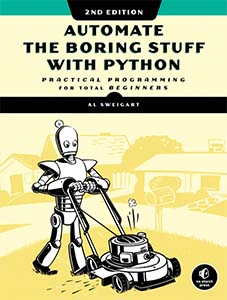
Fortunately I had two things to start with. One, this great book: Automate the Boring Stuff with Python. There is a chapter in there on how to scrape web pages using Python and something called Beautiful Soup. Two, I had the minister’s own web site: https://covid-19.ontario.ca/. It had the data I wanted right there! I wrote a little program called covid.py to scrape the data from the page and put it all on one line of output which I share on twitter every day.

Emboldened by my success, I decided to write more code like this. The challenge is finding a web page where the data is clearly marked by some standard HTML. For example, the COVID data I wanted is associated with paragraph HTML tag and it has a class label of  covid-data-block__title and covid-data-block__data. Easy.

My next bit of code was obit.py: this program scrapes the SaltWire web site (Cape Breton Post) for obituaries listed there, and writes it out into HTML. Hey, it’s weird, but again the web pages are easy to scrape. And  it’s an easy way to read my hometown’s obits to see if any of my family or friends have died. Like the Covid data, the obit’s were associated with some html, this time it was a div statement of class sw-obit-list__item. Bingo, I had my ID to get the data.

My last bit of code was somewhat different. The web page I was scraping was on the web but instead of HTML it was a CSV file. In this case I wrote a program called icu.sh to get the latest ICU information on the province of Ontario. (I am concerned Covid is going to come roaring back and the ICUs will fill up again.) ICU.sh runs a curl command and in conjunction with the tail command gets the latest ICU data from an online CSV file. ICU.sh then calls a python program to parse that CSV data and get the ICU information I want.

I learned several lessons from writing this code. First, when it comes to scraping HTML, it’s necessary that the page is well formed and consistent. In the past I tried scraping complex web pages that were not and I failed. With the COVID data and the obituary data,  those pages were that way and I succeeded. Second, not all scraping is going to be from HTML pages: sometimes there will be CSV or other files. Be prepared to deal with the format you are given. Third, once you have the data, decide how you want to publish / present it. For the COVID and ICU data, I present them in a simple manner on twitter. Just the facts, but facts I want to share. For the obit data, that is just fun and for myself. For that, I spit it into a temporary HTML file and open it in a browser to review.

If you want to see the code I wrote, you can go to my repo in Github. Feel free to fork the code and make something of your own. If you want to see some data you might want to play with, Toronto has an open data site, here. Good luck!


Some good links on how to learn Python

A friend asked me for some help when it comes to learning Python. I put together this list for him, but it’s good for anyone wanting to learn the computer language.

  1. Why Learn Python
  2. Automate the boring stuff with python. A great book!
  3. Learn python in 24 hours. Another book. Also great.
  4. Learn python in 10 minutes
  5. Good doc on python
  6. Learn Python the hard way
  7. How to make a web app using Flask and Python
  8. How to build a twitter app in python
  9. Become a More Efficient Python Programmer

There are so many great resources on the Internet concerning Python. I could easily triple the size of this list. Start with these: you’ll find the rest soon enough.

(Image from Free Code Camp, which also has good links worth reviewing.)

What I find interesting in tech, April 2021. Now with Quantum Computing inside!

Here’s 9000 links* on things I have found interesting in tech in the last while. There’s stuff on IT Architecture, cloud, storage, AIX/Unix, Open Shift, Pico, code, nocode, lowcode, glitch. Also fun stuff, contrarian stuff, nostalgic stuff. So much stuff. Good stuff! Stuff I have been saving away here and there.

On IT Architecture: I love a good reference architecture. Here’s one from an IBM colleague. If you need some cloud adoption patterns when doing IT architecture, read this. Here’s a tool to help architects design IBM Cloud architectures. Like it. Here’s some more tools to do IBM Cloud Architecture. Architectural Decision documentation is a key to being a good IT architect. Here’s some guidance on how to capture ADs. This is also good on
ADs I liked this:some good thoughts on software architecture.

Here’s some thoughts from a leading IT architect in IBM, Shahir Daya. He has a number of good published pieces including this and this.

One of my favorite artifacts as an architect is a good system context diagram. Read about it here. Finally, here’s a piece on UML that I liked.

Cloud: If you want to get started in cloud, read this on starting small. If you are worried about how much cloud can cost, then this is good. Here’s how to connect you site to others using VPN (good for GCP and AWS). A great piece on how the BBC has gone all in on serverless.. For fans of blue green deployments, read this. A good primer on liveness and readiness probes. Want to build you own serverless site? Go here

Storage: I’ve had to do some work recently regarding cloud storage. Here’s a
good tool to help you with storage pricing (for all cloud platforms). Here’s a link to help you with what IBM Cloud storage will cost. If you want to learn more about IBM Object storage go there. If you want to learn about the different type of storage, click here and here.

AIX/Unix: Not for everyone, but here is a good Linux command handbook. And here is a guide to move an AIX LPAR from one server to another. I recommend everyone who use any form of Unix, including MacOS, read
this. That’s a good guide to awk, sed and jq.

Open Shift:  If you want to learn more about Open Shift, this is a good intro. This is a good tutorial on deploying a simple app to Open Shift. If you want to try Open Shift, go here.

Raspberry Pi Pico:  If you have the new Pico, you can learn to set it up here.
Here’s some more intros to it. Also here. Good stuff. Also good is this if you want to add ethernet to a Raspberry Pi pico.

On Networking: If you want to know more about networking you want to read this, this and this. Also this. Trust me.

Code: Some good coding articles. How to process RSS using python. How to be a more efficient python programmer. Or why you should use LISP. To do NLP with Prolog the way IBM Watson did, check this out. If you want to make a web app using python and Flask, go here. If you need some python code to walk through all files within the folder and subfolders and get list of all files that are duplicates then you want this. Here’s how to set up your new MacBook for coding. Here’s a good piece on when SQL Isn’t the Right Answer

Glitch: I know people who are big fans of Glitch.com. If you want to see it’s coolness in action, check. out this and this

No Code Low Code: If you want to read some good no-code/low-code stuff to talk to other APIs, then check out this, this, and this.

Bookmarking tool: If you want to make your own bookmarking tool, read
this, this and this. I got into this because despite my best efforts to use the API of Pocket, I couldn’t get it to work. Read this and see if you get further.

Other things to learn: If you want to learn some C, check out this. AI? Read this Open Shift? Scan this. What about JQuery? Read this or that Bootstrap. this or this piece. Serverless? this looks fun. PouchDB? this and this. Express for Node? this. To use ansible to set up WordPress on Lamp with Ubuntu, go over this. To mount an NFTS mount on a Mac, see this. Here’s how to do a Headless Raspberry Pi Setup with Raspbian Stretch

Also Fun: a Dog API. Yep. Here is CSS to make your website look like Windows 98. A very cool RegEx Cheatsheet mug.. And sure, you can run your VMs in Minecraft if you go and read this. If you want to read something funny about the types of people on an IT project, you definitely want this.

Contrarian stuff: Here are some contrarian tech essays I wanted to argue against, but life is too short. Code is law. Nope. Tech debt doesn’t exist.Bzzzt. Wrong. Don’t teach your kids to code. Whatever dude. Use ML to turn 5K into 200K. Ok. Sure.

Meanwhile: Back to earth, if you want to use bluetooth tech with your IOT projects, check out this, this, this, and this. If you have an old Intel on a stick computer and want to upgrade it (I do), you want this. If you want to run a start up script on a raspberry pi using crontab, read this If you want to use Google Gauge Charts on your web site, then read this and this.

Nostalgia: OS/2 Warp back in the 90s was cool. Read all about it
here.Think ML is new? Read about Machine Learning in 1951
here. This is a good piece on Xerox Parc. Here is some weird history on FAT32. And wow, here is the source code for CP/67/CMS. And I enjoyed this on Margaret Hamilton.

Finally: Here are IBM’s design principles to combat domestic abuse. Here is how and why to start building useful real world-software with no experience. Lastly, the interesting history of the wrt54g router

(* Sorry there was less than 9000 links. Also no quantum computing inside this time. Soon!)

How I came up with the web page: All the books I have read since 2017 (somewhat technical. Involves python, S3 buckets)


I used to be a haphazard reader and my reading had slacked off. In 2017 I decided to have a goal of reading more and recording the books I had read. For the record, I had a simple Excel spreadsheet. This was good, but not easy to share.


To build this page, All the books I have read since 2017 | Smart People I Know, I wrote a Python program to convert the Excel spreadsheet to HTML. After that, it make it look modestly better, I stole some ideas from here. I was going to put the HTML directly into WordPress, but there were formatting issues. I instead put the page in an S3 bucket at AWS. And voila! Done!


29 IT links to things I am working on or interested in: AI, Python, Netscaler, automation and more

Things I am interested in or working on these days: AI, WebSphere setup, Python, Twitter programming, development in general, configuring Netscalers, cool things IBM is doing, automation, among other things.

  1. If you have the AI bug and think you want to do some Prolog programming, you need this: What Prolog implementation to choose? What’s fastest? Compatibility?
  2. Deep Learning is hot in AI. If you want more info, this is good: Deep Learning Tutorials — DeepLearning 0.1 documentation
  3. Sigh. This debate never goes away in AI: Why AlphaGo Is Not AI – IEEE Spectrum
  4. More on the hysteria that AI brings: The founder of Evernote made a great point about why AI (probably) won’t kill us all – Vox
  5. Ignore most AI hysteria, but do read this: What does it mean for an algorithm to be fair? | Math ∩ Programming
  6. Want to whip up a quick mobile app? Consider: Mobile App Builder – new service now available – Bluemix Blog
  7. For power users, there’s: How to create an insane multiple monitor setup with three, four, or more displays | PCWorld
  8. Need virtual images? Take a look at this: Images | VirtualBoxes – Free VirtualBox® Images
  9. For hardcore WAS users, this is helpful: Installing optional Java 7.x on WebSphere Application Server 8.5 (Application Integration Middleware Support Blog)
  10. A classic. Anyone tuning WAS needs this: Case study: Tuning WebSphere Application Server V7 and V8 for performance
  11. Want to learn Python? Write your own Twitter client? Or do both? Then there’s this: How To Build a Twitter “Hello World” Web App in Python | ProgrammableWeb
  12. More on programming Twitter: How To Use The Twitter API To Find Events | ProgrammableWeb
  13. Nice little project to try, here: Create a mobile-friendly to-do list app with PHP, jQuery Mobile, and Google Tasks
  14. Creating Simple Responsive HTML5 and PHP Contact Form | Future Tutorials
  15. Setting up a Linux system? Then you want to read this: Most secure way to partition linux? – Information Security Stack Exchange
  16. Want to learn Linux? This is essential! IBM developerWorks : Technical library concerning Learning Linux
  17. If you are doing performance work on Unix, you will likely use vmstat. Even if you know vmstat, this is good to review: What to look for in vmstat – UNIX vmstat command
  18. Wow! OS/2 is still alive! OS/2: Blue Lion to be the next distro of the 28-year-old – Yahoo Finance
  19. Talk about old tech! This makes OS/2 seem fresh! It’s Insane that New York’s Subway Still Runs on This 80-Year-Old Switchboard | Motherboard
  20. I was doing some work on Netscaler and found this useful in comparing the set up of one Netscaler config with another: Export Netscaler Config – NetScaler Application Delivery – Discussions. This is also useful:  Netscaler 9 Cheat Sheet.doc – netscaler9cheatsheet.pdf
  21. I thought this was a good development for everyone interested in Node: IBM Buys StrongLoop To Add Node.js API Development To Its Cloud Platform | TechCrunch
  22. Alot has changed with IBM’s OpenPOWER. Forbes gets you up to date, here: IBM’s OpenPOWER: A Lot Has Changed In Two Years – Forbes
  23. Cool stuff here: Access your Docker-based Raspberry Pi at home from the internet · Docker Pirates ARMed with explosive stuff
  24. I was using Perl scripts on Linux to send me messages to my mobile device via Pushover. This was good for that: pushover Archives – Perl Hacks
  25. I was also using WinSCP for that and this helped: Scripting and Task Automation :: WinSCP
  26. For all those trying to succeed in IT but feeling you are running into ceiling, you should read this: Tech’s Enduring Great-Man Myth or this When It Comes to Age Bias, Tech Companies Don’t Even Bother to Lie | Dan Lyons | LinkedIn
  27. Linus Torvalds is always interesting, and this is especially good: Linux at 25: Q&A With Linus Torvalds – IEEE Spectrum
  28. Very cool! Particle | Build your Internet of Things
  29. And finally some links to good stuff on UML online: Multi-layered web architecture UML package diagram example, web layer depends on business layer, which depends on data access layer and data transfer objects.

Why Python programs often have this: `if __name__ == “__main__”:`

If you were wondering why Python programs often have this: `if __name__ == “__main__”:` and then a call to a function, a good explanation is here.

In short, if your program is used as input to other programs, then you want to have that snippet of code in them. If your programs are standalone, you can get by without it.

Some thoughts on recently teaching myself Python

I have jumped on the Python bandwagon lately. I did because I was finding that more and more of the examples provided for integrating with APIs and for working with new technologies were often in Python. So I decided, why not? At first I tried teaching myself by way of various web sites, but I didn’t find this a satisfactory way to ramp up my skills as well as I wanted. It wasn’t until I came across this book in my local bookstore, Python in 24 Hours by Katie Cunningham and started learning from it did I find my skills increased at the level I wanted. By the time I was through it, I found I was writing good (not great) Python code at the level I was happy with. Furthermore, I felt I had a pretty good handle on the language, its features, and what it can do.

I highly recommend this book, and Python too. If you are new to programming, or are thinking of picking up a new language, read this piece: Why Python Makes A Great First Programming Language – ReadWrite.

Some good IT links on cloud, software development, github, python, IoT and more

As I go through my day, I often find IT links that are of interest to work I am doing. This is my latest set of links. As you can see, I am keen on cloud, software development, github, python, and IoT, to say the least.

.

How to learn Python: fast, slow and somewhere in between

As one of my areas of skill development this year, I am teaching myself Python (the programming language). I had a number of different sites offering help with it, but I have found these three the most useful, so far. I have found each of them useful, but I have spent the most time on “medium”. If you are interested in learning Python, I recommend you check these out:

Fast: Tutorial – Learn Python in 10 minutes – Stavros’ Stuff. Great as a cheatsheet or a quick intro to Python or if you used to do work with Python but haven’t done it in awhile.

Medium:the Python Tutorial from python.org. If you know other programming languages, this is a good starting point.

Slow: Learn Python the Hard Way. Good if you don’t know much about programming and want to make Python the first language you know really well.