
Habit List: an app that has really helped me with keeping my habits

If you are looking for an app that can help you form good habits, I highly recommend this one: Habit List

Things I like about it:

  • it is easy to add new habits to your list
  • you can decide the frequency of the habit: daily, weekly, 3 times a week, etc. It’s very flexible
  • it’s quick to update
  • you can track your streaks, completions, and best streaks which I find motivating
  • you can set reminders
  • you can export your data
  • it is priced reasonably: you can track a few habits for free and after that I think it has a one time charge of less than $10. Compared to some apps that want you to pay over $100 / year, it’s a bargain.

Check out the link above for more details. If it sounds good, download it for free and start with a few habits you want to work on. I think you’ll be glad you did.
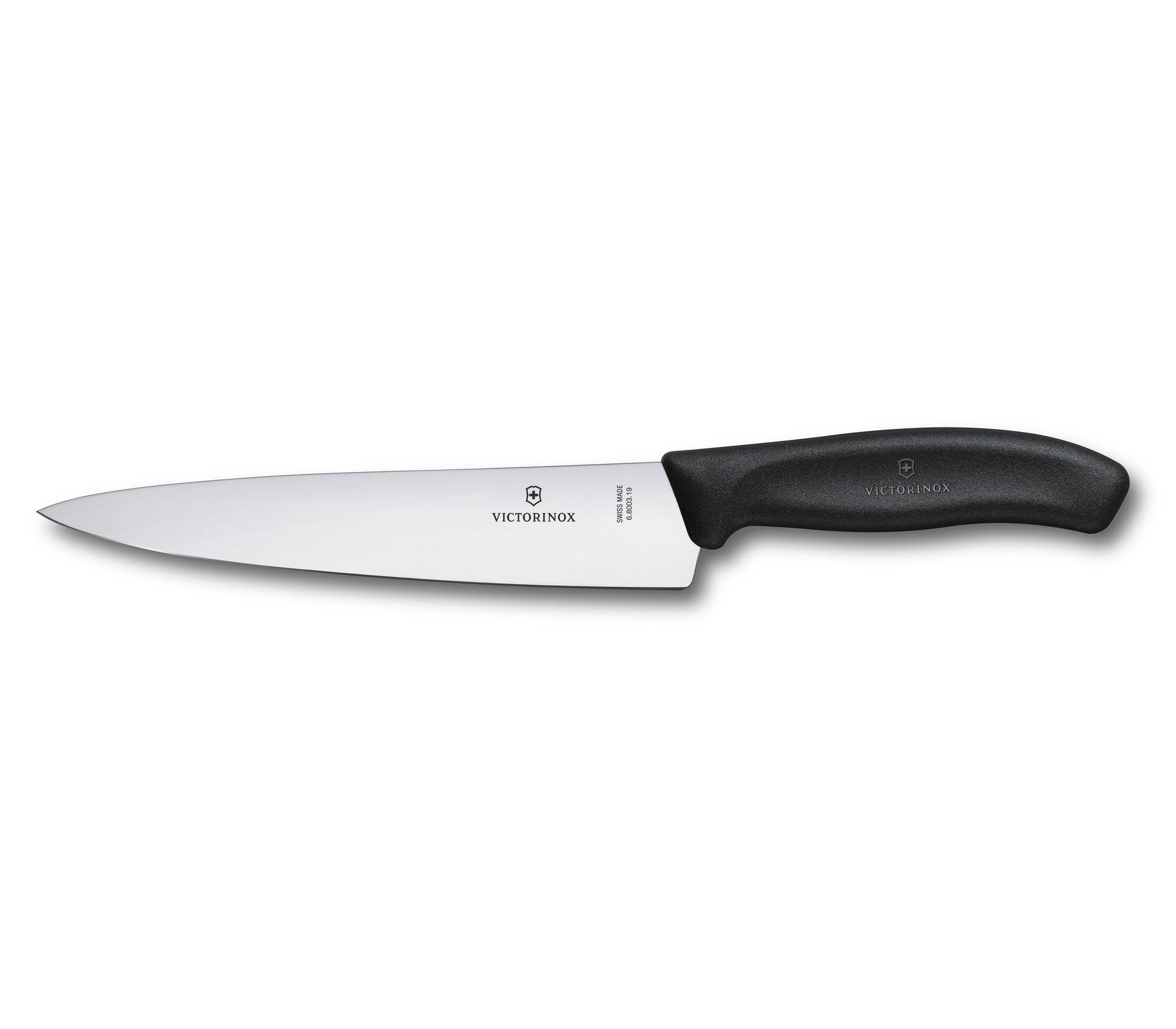
 

If you have to buy one chef’s knife…

If you have to buy a chef’s knife, then head on over to the Wirecutter and check out their list of the 4 Best Chef’s Knives of 2023. Here’s their recommendations:

  • Mac Mighty MTH-80 – The best chef’s knife
  • Tojiro DP F-808 – An affordable Japanese knife
  • Wüsthof Classic Ikon 8-Inch Cook’s Knife – A classic German knife
  • Victorinox Fibrox Pro 8-Inch Chef’s Knife – Sharp and affordable

If you have to buy only one and money is an issue, then go with the Victorinox. It’s not just the Wirecutter: I’ve seen a number of places that recommend it as the best budget knife, like The Food Network.

It’s easy if you have the money to stock up on kitchen knives. They all have different feels, different steel, and of course different blades. But if your options are limited, go with the Victorinox.

On Palomino Blackwing pencils

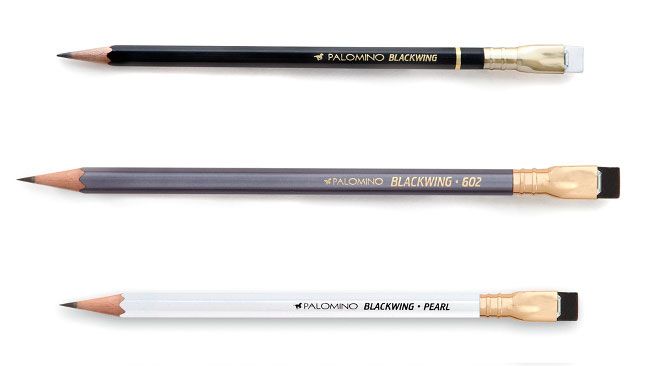
Plenty of people are big fans of these pencils, including the person who wrote this: Palomino Blackwing Pencils review | Creative Bloq. (10/10) One thing they highlighted about them was their softness:

The Blackwing is the softest, then the Pearl, then the 602. We would compare them to 5B, 4B and 3B pencils in value.

I’ve been using a Blackwing consistently over the past few week and I found that as well: it does write like a 4-5B pencil. If you like that kind of line, great. If you like a harder lead like I do, you might want to avoid them.

Other reasons to avoid them are they are expensive and you have to sharpen them a lot because soft.

It’s a nice looking pencil. But I think I might stick to harder pencils that cost less.

MindMup 2: a good web based mindmapping too

I’m a fan of mindmapping tools in general. One I’ve been using and enjoying lately is MindMup 2. 

Two things I like about it:

  1. It’s simple to modify your mindmaps on the go. You don’t need to do much to add or modify your map.
  2. It’s also simple to export your mindmap into a number of different formats. If you occasionally use mindmaps or you want to start with a mindmap to generate ideas but then you want to do the majority of the work in Word or some other tool, this is a good feature.

Mindmup_2 is a good tool. Go map your thoughts.

You need good work tools to be your best at work. Here’s 11 for you to consider


We all get in ruts where we use the same tools every day for our office work. When that happens, what we need is someone to come along with a new list of tools and what makes them great.

Here is such a list. I didn’t create it, but I have used 3 of the 11 tools here and I can say they are key to making me more productive every day. I plan to use the rest of them too, based on the description of them.

Sure, you can do fine with Microsoft Office tools. This list will help you do better: 11 Most Used Tools & Apps Essential to my Work – DESK Magazine

(Image via pexels.com)

How many days until….

Clock
If you want a simple way to determine how many days until a certain date, or have a count down clock on your screen, consider the web site days.to. If you go to that link, you can see all the things you can do with the site. If you want to determine how many dates until a certain date, enter https://days.to/dd-month/year. For example, if you want to know how many days until January 1, 2020, enter: https://days.to/1-january/2020

Great little site!

My new productivity tool: E.gg Timer – a simple countdown timer

My new favorite productivity tool is this site: E.gg Timer – a simple countdown timer. Whenever I am procrastinating, I will use it to get myself to focus by starting it for 5, 10, or more minutes and telling myself: I will focus until the timer goes off. I have found this approach very effective, and this site helps me. It also helps because if I find myself going to my browser to mindlessly go on some time wasting site (hello, Twitter!) I will see this and I will remember to focus.

Fans of the pomodoro technique will see there is a special timer just for it.

As a bonus, you can use it to do a high intensity tabata workout.

Great tool. Highly recommended.

Want to start a startup? All you need for that is here

And by here, I mean this site: Startup Stash – Curated resources and tools for startups. It is an amazing collection of tools you likely will need, for one thing. Plus, it has a superb user interface that not only groups the tools well, but gives you a sense of all the things you need to think about if you are going to go forward and create your own startup.

If you aren’t seriously thinking about startups, but would like to know about new tools to make you more productive at work, then I recommend you check out this site too.

Kudos to the creator of the site. Well worth a visit.

Are you trying to convert Word documents to HTML?

If so, you know of all the …stuff…Word will add in there. I understand why Microsoft does it, but I would rather not have it. If you are in the same boat, I recommend you check out this site: Convert Word Documents to Clean HTML. It gives you the ability to take snippets of said HTML and clean it up for you.

It has it’s limits, but worth a look. Or to your tool box.

10 ways to get more out of another great tool, Evernote

Yesterday was about ifttt. Today it is all about another great tool I highly depend on: Evernote. Evernote has become my go to tool for capturing information. (Bonus: it works great with ifttt). There are many great ways of using Evernote. If you are using it or planning to, here are at 10 for starters: 10 Tips On How to Use Evernote To Its Fullest « The Solopreneur Life®.

Please share any other tips you have. I find the one key tip I have for users of Evernote is this: the more you use it, the better it gets.


Uber.com – build better personal sites with Uber and take advantage of the web 2.0 facilities

is a site for building your own web site around web 2.0 concepts. It is “alpha” if you ask me, but it has alot of potential to be great.

One feature I really like is the ability to make great slideshows. This part is good. Here’s a few I made as a test

http://berniemichalik.uber.com/SC_parade_2007

http://berniemichalik.uber.com/Dec2007

or go to Uber for more info.

Zoho Gets better and Better

Over at the blog Compiler from Wired.com is a good review of the latest AND greatest features in Zoho Writer. Key quote:

While it isn’t feature complete just yet, Zoho Writer is getting very close to the ideal in online editing with word processing software that works equally well in offline and online modes. With big names like Google Docs, Microsoft Live and even Adobe all vying for your online office loyalty, there’s no doubt that if offline functionality matters to you, Zoho has the lead.

The great Kevin Kelly

One of FM’s author is Kevin Kelly, of Kevin Kelly — Cool Tools

He’s much more than this. He has been doing cool stuff for many years, whether he was working on the Whole Earth Catalog (the Internet in a catalog form 🙂 ) or helping launch WiReD (before it became TiReD). His cool tools section of his web site always has interesting articles in it.

It’s a shame the Whole Earth Review isn’t around anymore. But KK’s web site is: soak it up.