On the recent AWS outage of October 2025

Looks like AWS just published their post-mortem of their big outage this week: you can find it here.

For a lay person, this explanation might suffice.

CNN also has a good synopsis that includes other recent major outages and asks: why does this keep happening?

I think it is safe to say that we will see more of these major outages in this decade. So keep good backups, among other precautions. 🙂

On my recent vibe coding experiences building a web site and a spotify app using Copilot and Claude, October 2025. Here’s what I did and what I learned.

Computer and code

I recently took a vibe coding approach to try and do two things:

  1. build a simple web site / blog using Microsoft Copilot
  2. write an app to extract information from Spotify using Claude from Anthropic.

Why? For some time I had these two projects in mind:

  1. Go back to the days when a blog — web log — was nothing more than a simple html page.
  2. Programatically built Spotify music playlists vs doing it in the Spotify app.

My main constraint was do it quickly: it was meant to be fun. So don’t spend all weekend getting up to speed on APIs and HTML and CSS: just see what I could do aided by A.I.

First up, to build the web site, I started with Microsoft’s A.I. Since I had some requirements of what I wanted the web log to look like, I told them to Copilot and had it built me the one page blog web site. It helps to be clear on your requirements, but I found that I only needed a few of them to start with. As I went along, new requirements would come to me (e.g. the ability to add photos from the Internet) and I would tell Copilot to now incorporate these new requirements and give me a new web site. My experience vibe coding is that there is a lot of back and forth in order to be effective. As well, there were things that I could just manually do by hand, like add a background tile and change the picture on the header, so I eventually I bailed on using Copilot and finished it by hand. You can see the result here. It’s just what I wanted.

What makes things better was that I asked Copilot to write me a python program which would allow me to easily add to the blog and then push it to AWS. That was a great new addition. Now I can just enter a line on the command line and the blog gets updated.

All in all a very successful project.

As for my Second project with Spotify, I switched from Microsoft to Anthropic. At first Claude produced great code: I asked it to build me a UI that allowed me to type in the name of three songs and then take these songs, use Spotify to build me a playlist built around those songs and lo and behold it did. Things went downhill from there. Much of the code, while long, had numerous errors. I would provide the errors to Claude and it would correct things. The code did get better, but after 30 versions, it was time to call it quits. Instead I took small chunks of the code and using VS Code, manually tried to determine why it was not working. I was able to ultimately nail it down to one Spotify API call. And why wasn’t it working? Because Spotify disabled access to it in 2024. Did Claude know that? I don’t know. It certainly didn’t act like it.

All in all a very unsuccessful project.

What did I learn for this? What would I recommend to you?

  • I have been most successful vibe coding when I get the AI to code in small chunks. Give it small requirements and see if it can successfully do them. Then build up the chunks. That was the case in Copilot. With Claude I took the big bang approach, and then spent lots of time debugging. Eventually to discover the problem, I went to the small chunk approach manually.
  • A.I. is great for grunt level coding. Writing python code to loop through input and extract data under complicated conditions is something I hate to do. A.I. does it better and quicker than me. Again, it’s like using a mixer in the kitchen instead of your arm. It’s impressive to do things with your arm, but the mixer is fine.
  • A.I. is great for fussy coding. One thing I like about coding HTML and CSS using A.I. is I do not have to remember how to get the divs done and which CSS code I do for certain colors, etc. I just tell the A.I. and it does it.
  • A.I. has replaced my templates. I used to have a fair amount of code templates, and when I would start a project, I would get out a good template. When I didn’t have a template, I would often times spend hours going through old code trying to find an example to use as a template. Now I just get A.I. to give it to me.
  • Know when to bail on using A.I. and start doing the work yourself. I think of A.I. as a power tool: it let’s you do things fast, but for the detail work, you need to get in there with the hand tools and do things manually.
  • Make LOTS of backups. Backup your prompts too if you can. I have gone down a certain path in vibe coding, forget to do a backup, and it’s been a mess. As well, at times the A.I. will start to produce bad code. If you version control things, you can go back to a copy from an hour ago that did work and start again.
  • Most LLMs do a pretty good job of coding. I’d recommend Copilot because it is easy: it’s integrated into my Microsoft tools. The results from Claude were good too. I suspect as things advance, the code that comes out of all of them will get better and better.
  • I am not afraid of forgetting how to program in python or html any more than I was afraid of forgetting how to program in assembler when I moved on to C. Os using SQL to work with data rather than hand coding PL/1 code to do things. Or using Java and JDBC. The goal for me is to get my results via some form of coding, and if I can achieve that faster with a higher level of code combined with greater abstraction, I am fine with that.
  • The better you already are at coding, the better your chances of success. I have never had A.I. completely build my code. I get to 80-90%, then do the rest by hand. I am fine with that: I literally save hours every time I do this vs my old approach of using templates and old source code. If you have to depend on A.I. to do 100% of the coding, I suspect you will have more chances of failure. Also, if the code runs successfully with some inputs but fails with other inputs, having debugging skills will make a difference.
  • YMMV. These are my experiences based on these projects. Your experience using A.I. to assist with coding your project may be wildly different than mine. I do hope you have a good/better experience.

Thanks for reading this. I hope it helps.

P.S. When I talk of vibe coding, I am using the definition used by my current employer. The opinions expressed above are mine only and not necessarily those of my employer.


My dream of working from home started with this ad for IBM and Coppola’s Thinkpad (publish those visions you have)

The computer above, and the ad it is, came out in the mid 90s.

It was possible to work from home then, but it was not easy. I used to have a luggable computer that weighed 40 pounds and which I would …lug… home every day one summer to work from home. What I dreamed for, though, was to work from home with a small laptop like Coppola’s. A laptop where I could work from home daily, be it at a desk or in a beautiful kitchen like the one above.

It eventually happened. The laptops got better, the networks got better, and eventually the work cultures got better and I could do this. My kitchen wasn’t as nice, but everything else was nice.

Creative people, keep putting out your visions for a better world. You never know what dreams people will have. It might be as simple as a dream of working on a laptop in a kitchen. A dream that becomes more achievable once people can envision it.

My annual robot survey, 2025 edition


Time for my annual review of what I’ve seen happening in the world of robotics in the last 12 months. Progress in robots, unlike other forms of IT, tends to be slower and incremental. Not surprising: robotics is hard. If you look at the robots I featured last year and compared them to these robots, you won’t see dramatic changes. Still, it is interesting to note the progress made and the limitations still encountered.

Robots in factories are still where the bulk of robots can be found. Despite widespread adoption, they still have issues with basic tasks, as this study of robots in Amazon warehouses shows. Will that mean we are away off from amazon having package delivery humanoid robots? I’d say yes.

Home robots tend to be limited to one floor. But according to this, they are close to navigating stairs. That could be a game changer. Maybe some robots will get around your house like this tiny pogo robot does? Call me skeptical. Still, engineers keep trying to give robots more range, as we see here.

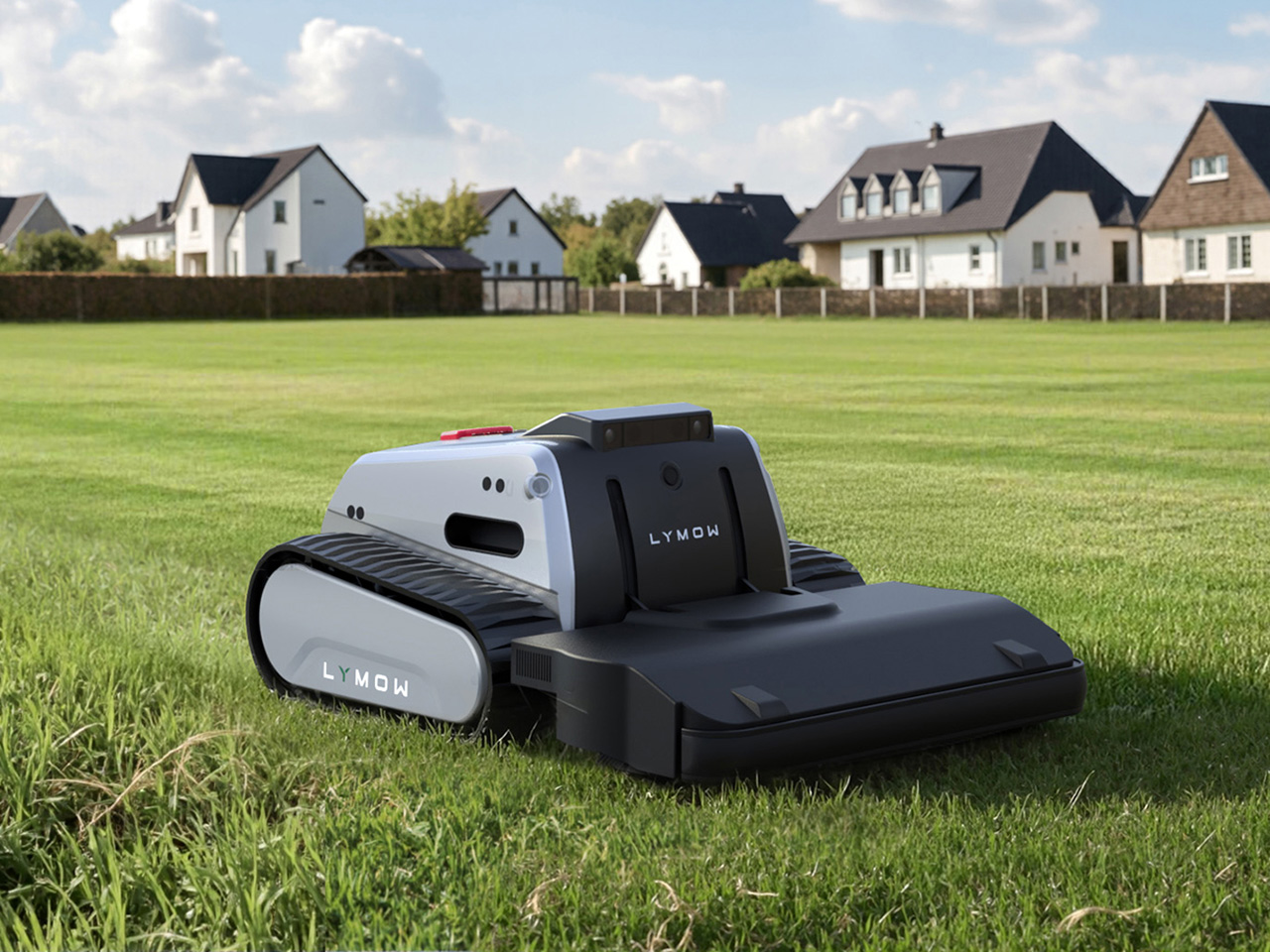
Not all home robots are limited to the floors of your house. This here contratrapion is a brainless soft robot that runs on air, while these 5 robotic lawnmowers hit the great outdoors. Speaking of robots and grass, there may come a day when your caddie is a robot.

It’s not all hard labour for home robots. These cute little fellows are mainly for emotional support for seniors. I question whether this pomodoro desk robot is an actual robot but I do agree it is the “cutest way to boost your productivity “. Speaking of desktop robots, this cute desktop robot gets gloomy when your room becomes unhealthy.

Finally, not all robots are cute: a lifelike robot that mimics human anatomy with complex muscular system is pretttttty creepy (see below).

One last note: the province of Ontario “began a ten-year pilot program in 2016 to allow the testing of automated vehicles (AVs) on Ontario’s roads under strict conditions, including a requirement to have a driver for safety reasons.” (In my mind, AVs are just another form of robots.) The program is still on going and I expect to see more developments on it. You can read more on that, here.

Thanks for reading this. I’ll be curious to see what happens with robots over the next year. Let’s see!

It’s time for PI (What I find interesting in tech, special raspberry pi edition, Mar. 2025)


Over the last year I’ve been working with various Raspberry Pi products, from the Pi Pico to the all-in-1 400 series. Along the way, I’ve found these links / articles to be useful for me. I hope they might help you too.

How To Guides: Here’s a variety of how to articles for various Raspberry Pi products:

LCD/OLED output: If you want to use LCD or oled displays with your Pi, check out how to get Billboard Scrolling with LCD Display & Raspberry Pi Pico. Here’s how to get your raspberry pi working with your oled. More on that, here: using ssd1315 oleds with the raspberry pi pico. Also here .

RPis’ config.txt: If you want to use your Pi with an old composite display, then you need to learn more about the config.txt file. So here’s click on the links to know about the config.txt file: here and here and here and here.

If you are having problems with output display, check those out. Also, how do i shrink the screen with composite out is good. So is this: how to add an rca tv connector to a raspberry pi zero. 

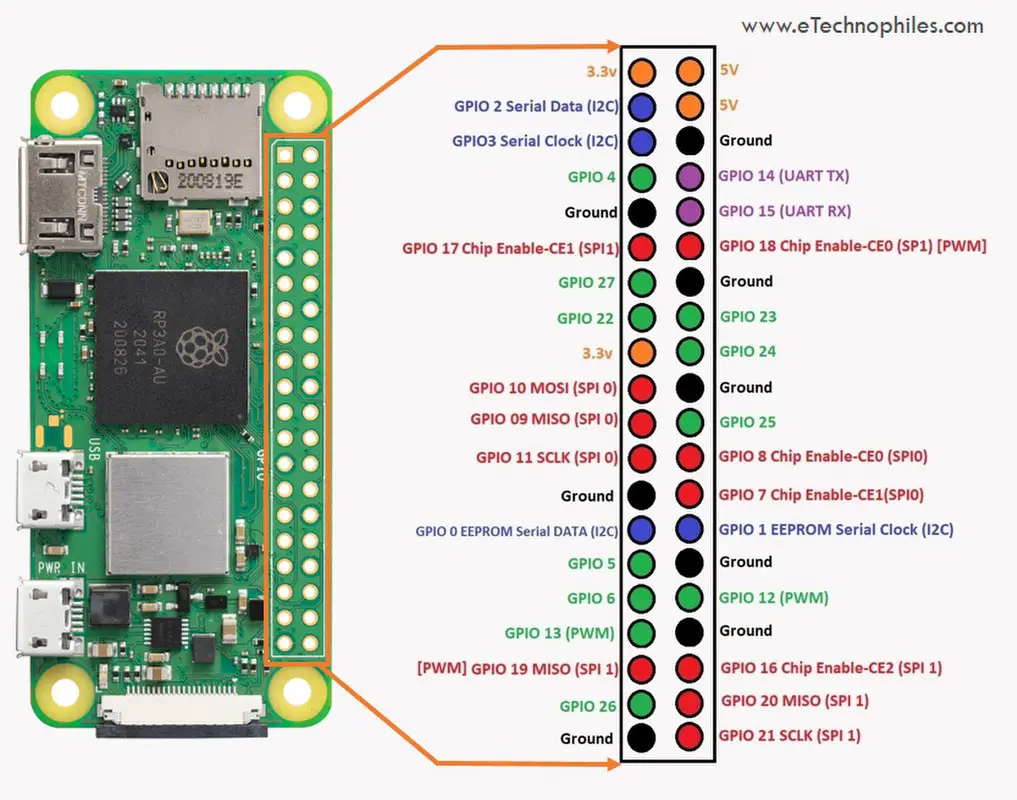
Pin settings: Pin settings articles for the Raspberry Pi are here and  here and  here. Finally, here’s the pin layout for the  Digispark Pro. More on the Digispark here.

P.S. Posted on 3/14 for obvious reasons. 🙂

The mongolian horde approach, or why you don’t have to be a fool to think that Elon Musk is incompetent

Is Elon Musk incompetent? Is he a genius? Or is he something else?

While some think his recent actions at Twitter and in DOGE indicate he is  incompetent, Noah Smith came out and defended Musk in this Substack post: Only fools think Elon is incompetent – by Noah Smith.

Smith starts off by saying that Musk …

is a man of well above average intellect.

Let’s just pass on that, since we don’t know the IQ or any other such measure of the intellect of Musk. Plus, competent people don’t need to have a high IQ.

Indeed Smith gives up on IQ and goes for another measure:

And yet whatever his IQ is, Elon has unquestionably accomplished incredible feats of organization-building in his career. This is from a post I wrote about Musk back in October, in which I described entrepreneurialism as a kind of superpower

So it’s not high IQ that makes Elon Musk more competent than most, it’s his entrepreneurialism. In case you think anyone could have the same ability, Smith goes on the say why Musk is more capable than most of us:

Why would we fail? Even with zero institutional constraints in our way, we would fail to identify the best managers and the best engineers. Even when we did find them, we’d often fail to convince them to come work for us — and even if they did, we might not be able to inspire them to work incredibly hard, week in and week out. We’d also often fail to elevate and promote the best workers and give them more authority and responsibilities, or ruthlessly fire the low performers. We’d fail to raise tens of billions of dollars at favorable rates to fund our companies. We’d fail to negotiate government contracts and create buzz for consumer products. And so on.

Smith then drives home this point by saying:

California is famously one of the hardest states to build in, and yet SpaceX makes most of its rockets — so much better than anything the Chinese can build — in California, almost singlehandedly reviving the Los Angeles region’s aerospace industry. And when Elon wanted to set up a data center for his new AI company xAI — a process that usually takes several years — he reportedly did it in 19 days

And because of all that, Smith concludes:

Elon Musk is, in many important ways, the single most capable man in America, and we deny that fact at our peril.

Reading all that, you might be willing to concede that whatever Musk’s IQ is, not only is he more than competent, but he must be some sort of genius to make his companies do what they do, and that you would be a fool to think otherwise.

But is he some kind of entrepreneurial genius? Let’s turn to Dave Karpf for a different perspective. Karpf, in his Substack post, Elon Musk and the Infinite Rebuy, examines Musk’s approach to being successful by way of example:

There’s a scene in Walter Isaacson’s new biography of Elon Musk that unintentionally captures the essence of the book: [Max] Levchin was at a friend’s bachelor pad hanging out with Musk. Some people were playing a high-stakes game of Texas Hold ‘Em. Although Musk was not a card player, he pulled up to the table. “There were all these nerds and sharpsters who were good at memorizing cards and calculating odds,” Levchin says. “Elon just proceeded to go all in on every hand and lose. Then he would buy more chips and double down. Eventually, after losing many hands, he went all in and won. Then he said “Right, fine, I’m done.” It would be a theme in his life: avoid taking chips off the table; keep risking them. That would turn out to be a good strategy. (page 86) There are a couple ways you can read this scene. One is that Musk is an aggressive risk-taker who defies convention, blazes his own path, and routinely proves his doubters wrong. The other is that Elon Musk sucks at poker. But he has access to so much capital that he can keep rebuying until he scores a win.

So Musk wins at poker not by being the most competent poker player: he wins by overwhelming the other players with his boundless resources. And it’s not just poker where he uses this approach to succeed. Karpf adds:

Musk flipped his first company (Zip2) for a profit back in the early internet boom years, when it was easy to flip your company for a profit. He was ousted as CEO of his second company (PayPal). It succeeded in spite of him. He was still the largest shareholder when it was sold to eBay, which netted him $175 million for a company whose key move was removing him from leadership. He invested the PayPal windfall into SpaceX, and burned through all of SpaceX’s capital without successfully launching a single rocket. The first three rockets all blew up, at least partially because Musk-the-manager insisted on cutting the wrong corners. He only had the budget to try three times. In 2008 SpaceX was spiraling toward bankruptcy. The company was rescued by Peter Thiel’s Founders Fund (which was populated by basically the whole rest of the “PayPal mafia”). These were the same people who had firsthand knowledge of Musk-the-impetuous-and-destructive-CEO. There’s a fascinating scene in the book, where Thiel asks Musk if he can speak with the company’s chief rocket engineer. Elon replies “you’re speaking to him right now.” That’s, uh, not reassuring to Thiel and his crew. They had worked with Musk. They know he isn’t an ACTUAL rocket scientist. They also know he’s a control freak with at-times-awful instincts. SpaceX employs plenty of rocket scientists with Ph.D.’s. But Elon is always gonna Elon. The “real world Tony Stark” vibe is an illusion, but one that he desperately seeks to maintain, even when his company is on the line and his audience knows better. Founders Fund invests $20 million anyway, effectively saving the company. The investment wasn’t because they believed human civilization has to become multiplanetary, or even because they were confident the fourth rocket launch would go better than the first three. It was because they felt guilty about firing Elon back in the PayPal days, and they figured there would be a lot of money in it if the longshot bet paid off. They spotted Elon another buy-in. He went all-in again. And this time the rocket launch was a success. If you want to be hailed as a genius innovator, you don’t actually need next-level brilliance. You just need access to enough money to keep rebuying until you succeed.

It seems that the path to success for Musk is not to be good at something, but to be tenacious and throw massive amounts of resources at a problem until you defeat it.

In IT, there is an approach to solving problems like this called the Mongolian horde approach. In the Mongolian horde approach, you solve a problem by throwing all the resources you can at it. It’s not the smartest or most cost effective approach to problem solving, but if a problem is difficult and important, it can be an effective way to deal with it.

It’s interesting that Smith touches on this approach in his post. He brings up Genghis Khan, the leader of the Mongols:

Note the key example of Genghis (Chinggis) Khan. It wasn’t just his decisions that influenced the course of history, of course; lots of other steppe warlords tried to conquer the world and simply failed. Genghis might have benefited from being in just the right place at just the right time, but he probably had organizational and motivational talents that made him uniquely capable of conquering more territory than any other person in history. The comparison, of course, is not lost on Elon himself

It appears that Musk is familiar with the Mongolian Horde approach as well. Indeed, Karpf illustrates the number of times Musk used this approach in order to be successful, whether it’s playing poker or building rockets.

If you can take this approach, with persistence and some luck, you can be successful. Success might come at a great cost, but it likely will come. And in America, if you are successful, people assume you are intelligent and highly competent regardless of your approach. That’s what Smith seems to assume in his post on Musk.

Even with this approach, you do have to have some degree of competency. If you are using this approach to play poker, you have to know enough about the game to win when the opportunity presents itself. But you don’t have to be the world’s best poker player or even a good poker player.

The same holds true for Musk and his other companies. He’s not incompetent, but he’s not necessarily great or even good at what he does. He just hangs in there and keeps applying overwhelming resources until he eventually wins. His access to resources and his tenacity are impressive: his competency, not so much.

P.S. Like many others, I used to think Musk was highly competent. I stopped thinking that when he took over Twitter and turned it into X. This “Batshit Crazy Story Of The Day Elon Musk Decided To Personally Rip Servers Out Of A Sacramento Data Center” in Techdirt convinced me his IT competency is not much better than his poker competency. Indeed, if success was a metric, then he is incompetent at running tech companies, based on this piece in the Verge: Elon Musk email to X staff: ‘we’re barely breaking even’. I won’t count him out until he abandons X, but if the time comes when X is successful, it will be because of him applying massive amount of resources (time, money, etc) to it, not because he is an IT genius.

 

A guide to generative AI and LLM (large language models), February 2025


I decided to go through all my posts on AI and pull out information that would be useful to anyone wanting to learn more about generative AI (often referred to as gen AI or genAI) and the LLMs they run. If you have used chatGPT, you have used genAI. But there’s much more to the technology than what you find on that site. To see what I mean, click on any of the blue underlined text and you will be taken to a site talking about something to do with gen AI.

Enjoy!

Tutorials/Introductions: for people just getting started with gen AI, I found these links useful: how generative AI works, what is generative AI, how LLMs works,  sentence word embeddings which kinda shows  how LLM works, best practices for prompt engineering with openai api a beginners guide to tokens, a chatGPT cheat sheet,  demystifying tokens: a beginners guide to understanding AI building blocks, what are tokens and how to count them, how to build an llm rag pipeline with llama 2 pgvector and llamaindex and finally this: azure search openai demo. (Some of these are introductory for technical people – don’t worry if you don’t understand all of them.)

For people who are comfortable with github, this is a really good repo / course on generative AI for beginners. (and check out these other repositories here, too). This here on the importance of responsible AI. and here’s a step by step guide to using generative AI in your business, here.

Prompts and Prompt Engineering: if you want some guidance on how best to write prompts as you work with gen AI, I recommend this, thisthis, this, this, this, this, and this.

Finally:  Here’s the associated press AI guidelines for journalists. This here’s a piece on how the  Globe and Mail is using AI in the newsroom. Here’s a how-to on using AI for photo editing. Also, here’s some advice on writing better ChatGPT prompts. How Kevin Kelly is using  AI as an intern, as told to Austin Kleon. A good guide on  how to use AI to do practical stuff.

Note: AI (artificial intelligence) is a big field incorporating everything from vision recognition to game playing to machine learning and more. Generative AI is a part of that field. However nowadays when we talk of AI people usually mean gen AI. A few years ago it was machine learning and before that it was expert systems. Just something to keep in mind as you learn more about AI and gen AI in particular.


Generative AI = relational databases

tables of information


Imagine you have a database with two tables of information: customer information and account information. The one piece of data that both tables share is account ID. With relational database software, you can use it to tie the two tables together. So if a customer comes to you and asks for their current balance, you can ask them for their account ID and some other personal info. Then you can query that database with the account ID and verify who they are because you can see their customer information and then once you validate them you can also see their account information and you can get the computer to print out their balance. The database, in this case a relational database, relates the two source of information (customer info and account info) and lets you retrieve that information.

Now the nice thing about relational databases is you can further relate that information to other sources of information. If you have a table of products you want to promote to customers depending on their net worth, you can query the database for the accounts that meet the product criteria and then pull up the customer information and mail them the information about their product. You’ve related three different tables of information to do this and pulled it together using a query.

When it comes to generative AI, the prompt you enter is also a query. The gen AI system doesn’t search tables though. Instead it searches a model it has that was build with sources of information it was trained on. If it was trained on Wikipedia, then all those pages of Wikipedia are not unlike tables being queried. The difference is the gen AI system uses its algorithm to determine how all that Wikipedia knowledge relates to your query before it gives you a result. But in many ways you are querying the gen AI systems just like you might query a relational database.

Of course generative AI has much more power than a simple relational database. But in many ways the two things are the same. We need to start looking at it then the same way. we can do many clever things with relational databases but don’t think of them as intelligent. The same should hold for generative AI.


Some thoughts on data centres and the environment

325 Front Street West III

People are worried about data centres.

People are worried about data centres and carbon emissions, especially if they read articles like these: Google’s carbon footprint balloons in its Gemini AI era, or Microsoft’s AI obsession is jeopardizing its climate ambitions or Google’s greenhouse gas emissions are soaring thanks to AI or Exxon Plans to Sell Electricity to Data Centers.

People are also worried about data centres and water usage after they read articles about how much water is used for each ChatGPT query.

And when people read pieces like this, Amid Arizona’s data center boom, many Native Americans live without power, they are no doubt worried about what data centres do to the communities where they reside.

My thoughts on this, as someone who has worked in data centres for 40 years, is that there are valid reasons to be concerned, but there are positive aspects to data centre growth and it’s important to keep those in mind.

Data centres are simply places with a concentration of information technology (IT). One time companies had data centres on a floor of their building, or in special buildings in locations like the one pictured about on 325 Front St in Toronto. These days, many companies are moving from hosting their own technology in their own buildings and moving that tech to cloud computing locations, which are just another form of data centre.

I believe that’s this migration to the cloud is a good thing. As this states:

Research published in 2020 found that the computing output of data centers increased 550% between 2010 and 2018. However, energy consumption from those data centers grew just 6%. As of 2018, data centers consumed about 1% of the world’s electricity output.

Moving workloads from on premise infrastructure to cloud infrastructure hosted in big cloud data centres saves on energy consumption.  One of the reason for the savings is this:

…normally IT infrastructure is used on average at 40%. When we move to cloud providers, the rate of efficiency using servers is 85%. So with the same energy, we are managing double or more than double the workloads.

You might think all this data centre growth is being driven by things like AI and crypto, but according to this IEA report:

Demand for digital services is growing rapidly. Since 2010, the number of internet users worldwide has more than doubled, while global internet traffic has expanded 25-fold. Rapid improvements in energy efficiency have, however, helped moderate growth in energy demand from data centres and data transmission networks, which each account for 1-1.5% of global electricity use.

That’s the key point: the demand for digital services is driving the growth of data centres. Every time you watch a video on your phone or pay your bills on your computer, you are using a data centre. Even things like the smart meter on your house or the computer in your car or the digital signs you see interact with a data centre. You use data centres pretty much all day, sometimes without knowing it.

The good news is that there are innovations to make them greener are happening with them, like this new method for liquid-cooling data centres that could make the waste heat useful. And it’s good that IT professionals are moving towards green cloud computing.  But it’s not good that with the rise of technologies like generative AI, IT companies are having a difficult time keeping up with the demand and sticking to their green targets.

Speaking of gen AI, I think energy costs associated with AI will peak and come down from the initial estimates. Indeed, when I read this article Data centres & networks – IEA, and in particular this…

Early studies focused on the energy and carbon emissions associated with training large ML models, but recent data from Meta and Google indicate that the training phase only accounts for around 20–40% of overall ML-related energy use, with 60–70% for inference (the application or use of AI models) and up to 10% for model development (experimentation). Google estimates that ML accounted for 10-15% of its total energy use in 2019-2021, growing at a rate comparable with overall energy growth (+20-25% per year over the same period).

… then I am optimistic that energy costs will not be as bad as initially estimated when it comes to AI. I am not optimistic that we will not decrease our demand for digital services any time soon. Because of that demand, we need not just more data centres, but better ones. It’s up to companies to build them, and it’s up to citizens to keep the companies accountable. The best way to keep them accountable is to better understand how data centres work. I hope this post went some small way to doing that.

P.S. All the opinions expressed here are my own and do not represent the views of my employer.

(Photo by Jack Landau on Flickr)

Lessons learned from working on my Raspberry Pi devices (and Raspberry Picos too)

This week I successfully set up five Raspberry Pi devices at home: 3 Pi Zeros, 1 Pi 400, and 1 Pi original. Plus I have two old C.H.I.P. computers that work. I had struggled with using them in the past, but this time it was a breeze due to the lessons I’ve learned. Here’s some of these lessons:

Get wireless ones: I originally had Pi Zeros and Picos without wireless capability. And that can be fine if you know you don’t need it. But it is helpful to be able to have them communicate wirelessly and it gives you more flexibility, even if it costs a few more bucks.

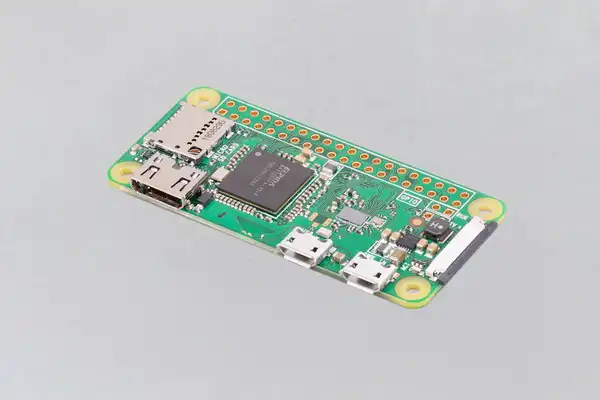
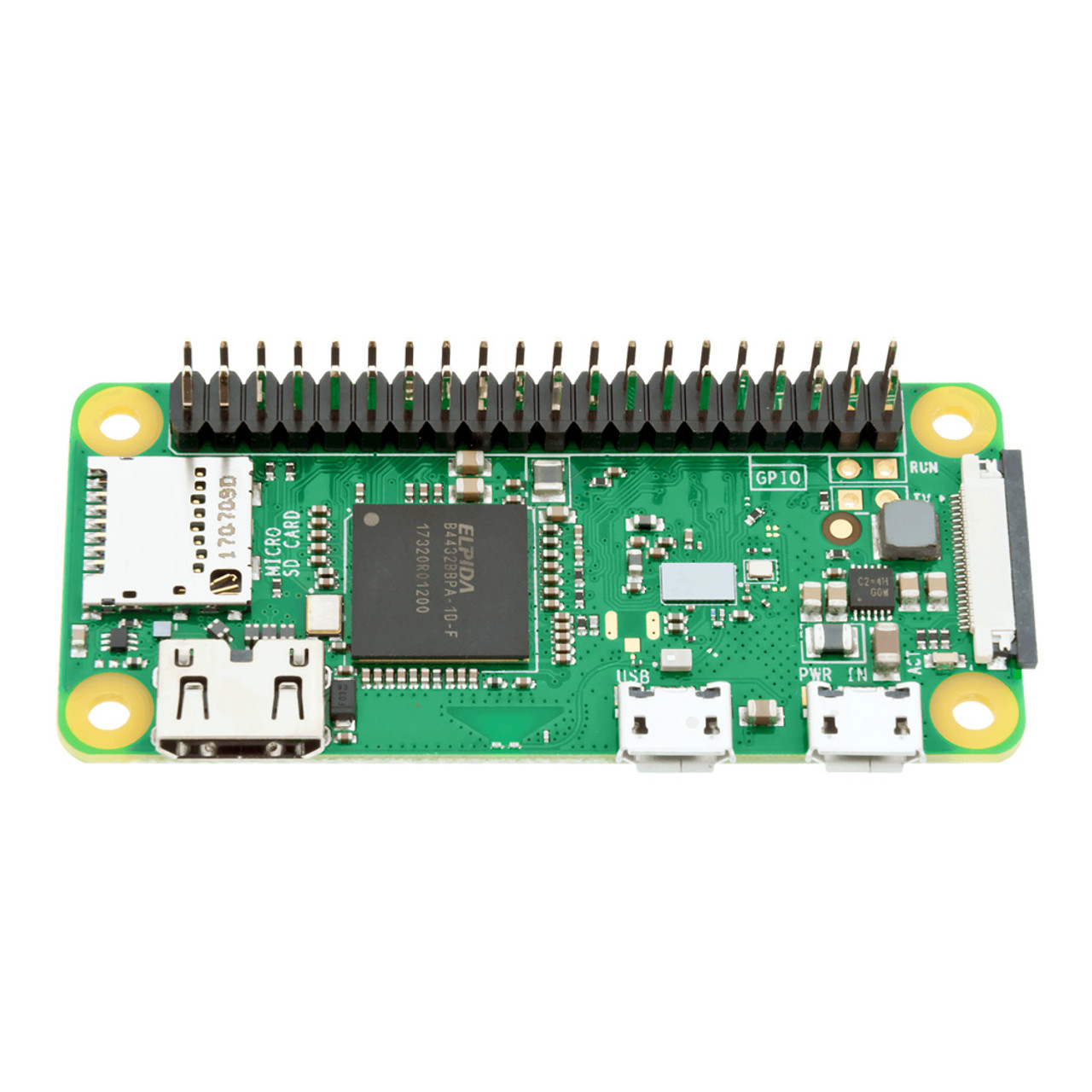
Get headers: again, I had some Pi Zeros and Picos without headers. Unless you are good with soldering, get the ones with headers. It just makes it easier physically  connect them to other technology. The Pi Zero above has no headers, the one below does.

Keep track of all the connectors you need and kept them handy: With the Pi Zeroes, I have a set of adapters that allow me to connect it to power, USB and HDMI. Once I have it set up, I just need a cable to provide power and I run it in headless mode (which I can do because of wireless). I have a special box for all that stuff so I can easily find it.

Give your Pis unique hostnames: if you are going to be connecting to them via ssh or scp, then give them a unique host name. You can do this when you set them up. What’s nice about that is once they connect to the wireless network, I can easily identify them. For example, I can ping pizero1 or I can ssh myuserid@pizero2 versus trying to find out their IP address of 192.168.0.??

Designate a machine for setting up the Pis: for me, I have a Pi 400 that I use to program the Picos. And I have a Ubuntu machine to format the SD cards. But you do what works best for you.Having a consistent environment means when you run into problems, the problem is likely not with your environment but with the SD card or the Pico.

Avoid obsolete or tricky technology: in the past I got discouraged by trying to get old or tricky technology to work. I had old dongles that gave me errors when trying to build the SD cards properly; I had old unsupported Digispark devices that would not work at all; and I had some Adafruit devices that were cool but the path to success with them was challenging. In the future, I am sticking with tried and true technology from Arduino and Pi. Don’t make working with such devices any harder than it has to be.

Get cases for your Pis: if you are going to use them on the regular, get a case. Even a cheap case make it look like a finished and working device and not some hack. Not only does it look better, but it will likely work better (i.e. the cables will not move around and lose a connection). And make sure the case you get is made for your device so it will fit properly.

Document as you go: keep some log of what worked and what didn’t. Take photos of successful set ups. Save all the good web sites that helped out. Better still, blog about it. (If you search this blog for “raspberrypi” you will find the things I have found and written about.)

Good luck with your projects. May they go smoothly.

In praise of this 37 in 1 Sensors Starter Kit

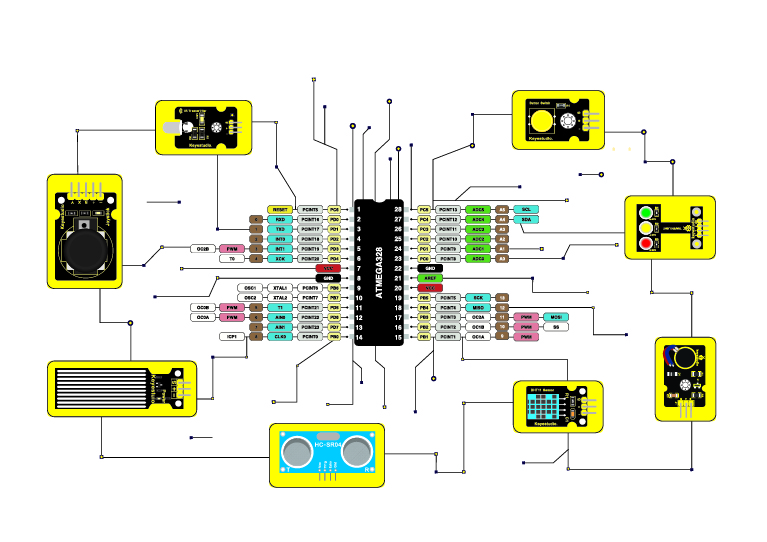
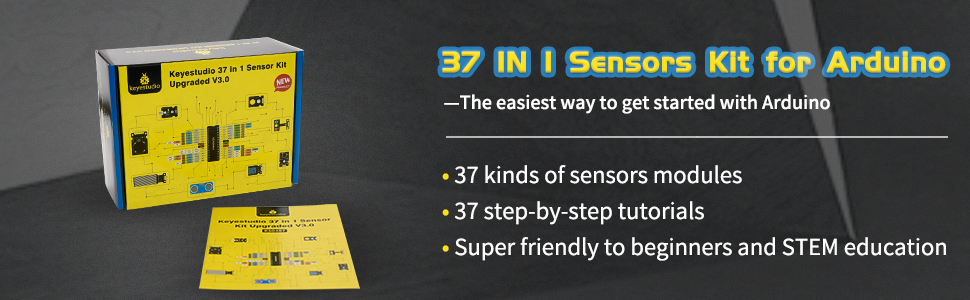
If you’re like me and you’re doing work with an Arduino or a Raspberry Pi, you are going to want to hook it up to something. Now the something might just be a simple button or an LED, or it might be more sophisticated like an infrared receiver or a heat sensor. If that’s you, then you want to consider getting this:  KEYESTUDIO 37 in 1 Sensors Starter Kit for Arduino Mega R3 Nano Raspberry Pi Projects (on amazon.ca).

It says Sensors starter kit, but it has a nice collection of LEDs and buttons, too. Each of the 37 items are easy to plug into a breadboard or you can connect them to your Pi or Arduino with wires.

Other great things:

  • the sensors are all labelled. That means you won’t be pick one up months from now and asking yourself: what does this do?
  • their documentation is really good. It’s online, here. (Note, their site is slow: I printed the long web page into a PDF that I can quickly refer to.)
  • The sensors have their own resistors built in. That way you don’t have to put your own resistors between the Pi and an LED, for example.
  • there is a wide variety of sensors in this kit. You will be able to do many a project with all these sensors.

I’ve purchased sensors in the past, and the problems I’ve had with them are gone due to this kit. I’m glad I bought it.


From RAG to riches (What I find interesting in AI, Dec. 2024)


Here’s my latest post on AI with 60+ worthwhile links found since my last post on it in June. It comes in three sections: the first section is about AI technology, the middle section is on AI in the news and the oped pages, and at the end there’s a good but odd bunch worth a look. Enjoy!

Technology – LLMs:

Technology – Ollama / Flowise:

Technology – RAG:

Technology – watsonx.ai:

AI in the news / oped sections:

Last but not least:

When was the last time you refreshed your router? It could be time to do that

How long have you had your router in your house? Is it relatively new? If so, that’s good. However you might be like me and have a router that’s 3 or 4 years old. If that’s the case, it’s time to replace your router. Contact your internet provider and ask them if they can refresh your router with a newer one. (And if they can’t or won’t, consider switching internet providers.)

You might think: I don’t want to go through the hassle of that. That’s what I thought too. It turns out it was a very easy thing to do in my case. I suspect that will hold true for you.

Hassle aside, what I also noticed is that I started getting much better upload and download speeds with the newer router without having to upgrade my plan. You might find the same thing, and that’s a good thing indeed.

So if you haven’t refreshed your router in a number of years, consider getting a newer one.

PS it doesn’t have to be a new device. In fact, the upgrade cost might be free if it’s slightly older than new but more recent than your current router.

Forget ChatGPT. Now you can build your own large language model (LLM) from scratch

Yep, it’s true. If you have some technical skill, you can download this repo from github: rasbt/LLMs-from-scratch: Implementing a ChatGPT-like LLM in PyTorch from scratch, step by step and build your own LLM.
What I like about this is that it demystifies LLMs. LLMs aren’t magic, they aren’t Skynet and they’re not some sentient being. They’re software. That’s all.

So ignore all the hype and handwaving about LLMs and go make your own.

Prefer to read it in dead tree form? You can get the book here.

Robots, robots and more robots.

I haven’t written about robots in awhile. That’s not for a lack of news stories about robots. We are finding them popping up all over the place.

Robots have always been used in manufacturing. Now they are moving into other businesses. Here’s a story of how robots are moving into restaurants. I’ve already seen one of these…it was less than impressive.

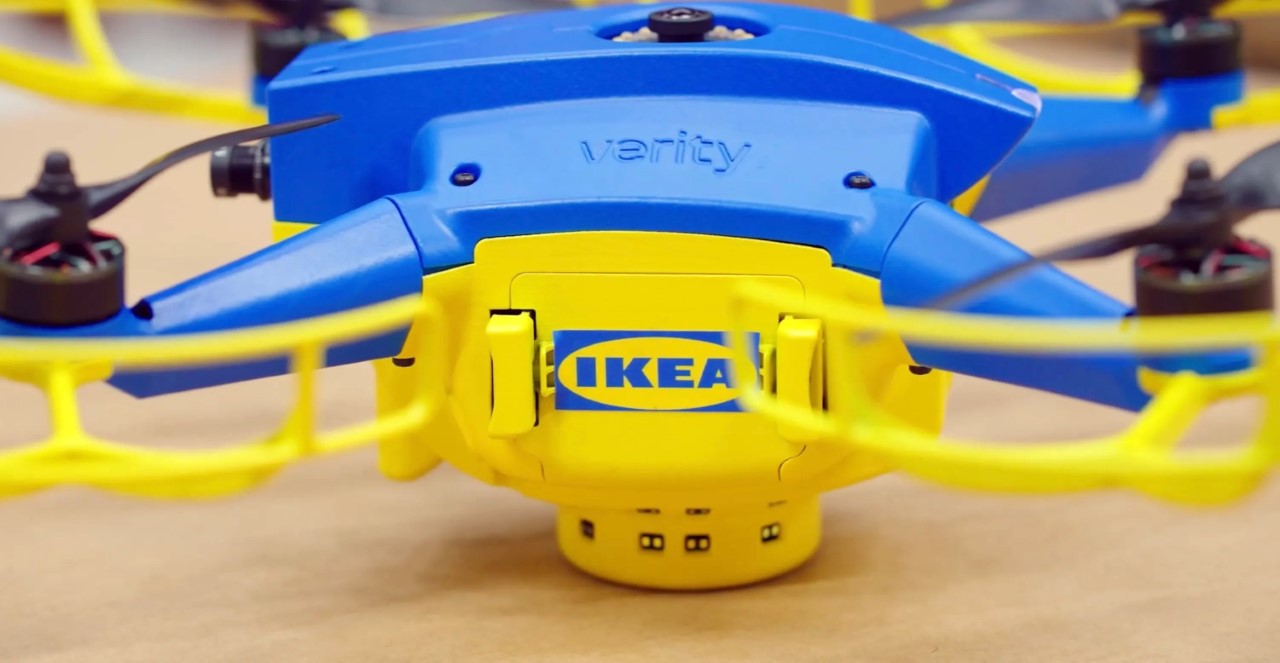
Drones are a form of robot. Here is a story on how IKEA is using drones for inventory management.

Wildlife has to be managed, too. This robot dressed up like a predator makes flights safer at airports by keeping wildlife away from runways.

The military is known for using robots. Here’s a piece on gun carrying robot dogs in the Chinese army. Not to be outdone,  the Canadian armed forces are ramping up with the use of drones.

Back at home, this unit from Samsung can vacuum and steam clean your floors. And this home robot comes with an arm. (No word on if it can unload the dishwasher.)

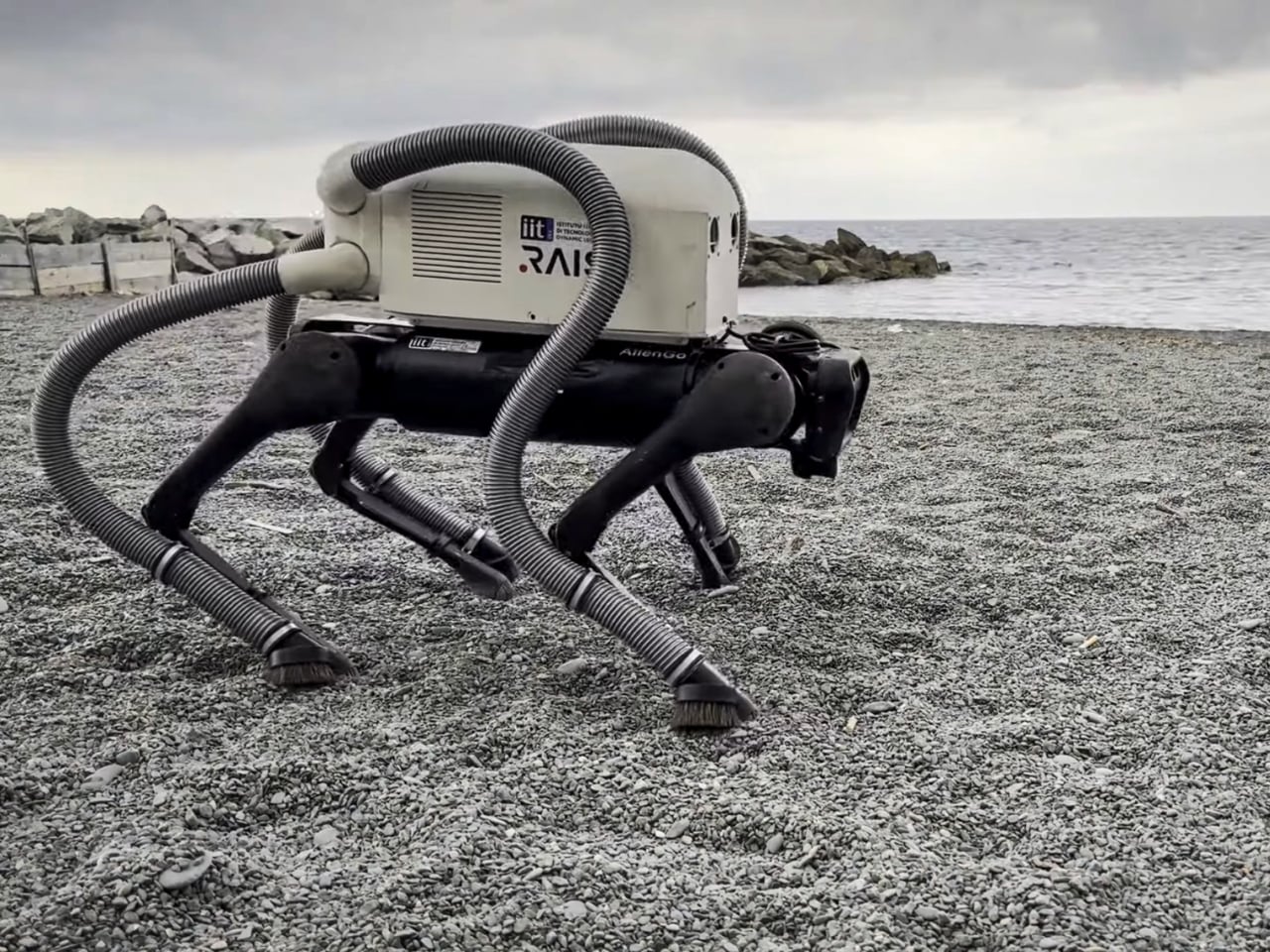
Speaking of vacuuming robots, this quadruped robot can pick up cigarette butts on beaches. That’s a good use of robots.

Back at work, these BMW robots being tested in their factories in South Carolina give off Terminator vibes. (see below.) More on them, here.

Boston Dynamics has it’s own Terminator like robots too. This dog like robot gives off Boston Dynamics vibes, but isn’t from B.D.

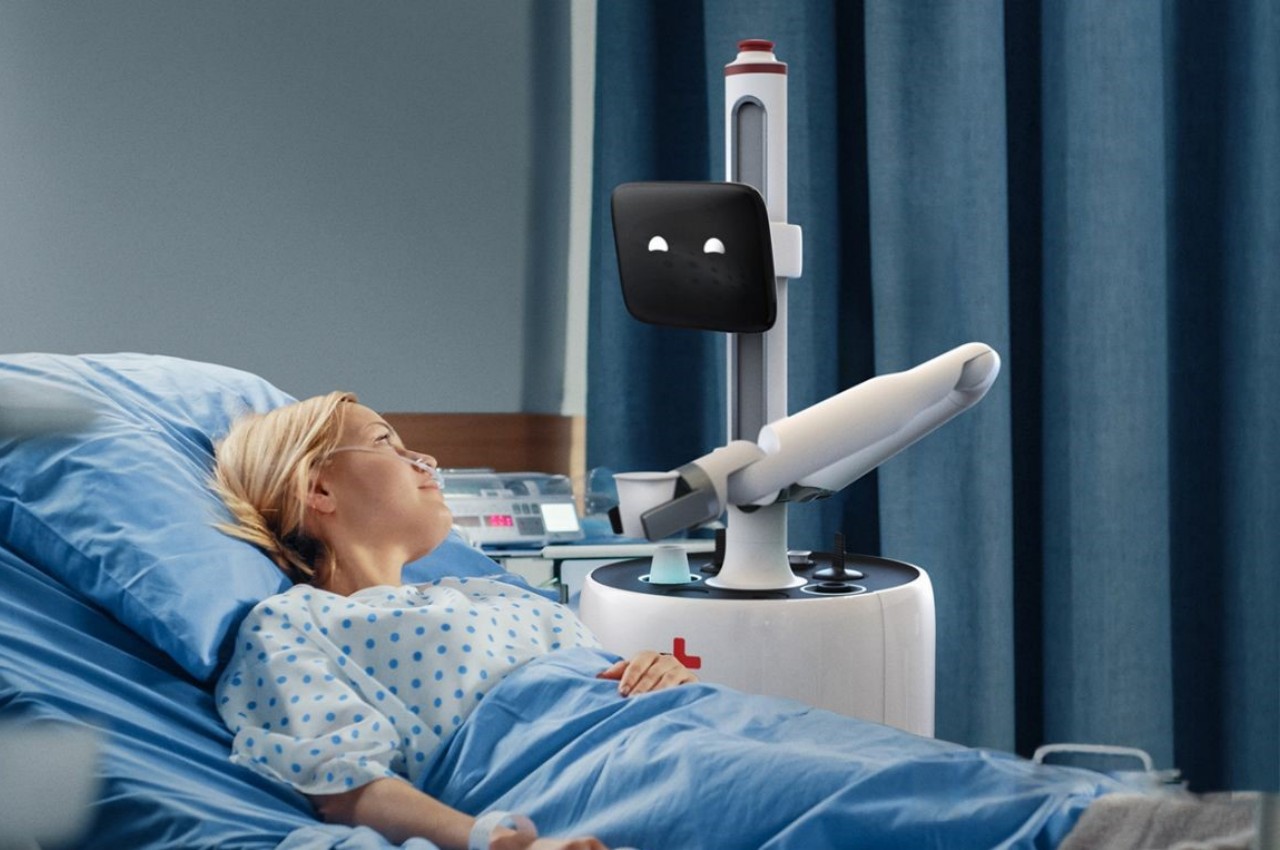
Here’s a robot that can become your child’s protector, teacher, and even playmate. Meanwhile, this one hangs out in your  kitchen and acts as an air purifier.

Here’s is a robot that is part of a work of art.

Finally, is the robot backlash starting? It already has in San Francisco, where a crowd vandalized a Waymo driverless taxi.

In praise of teenage engineering

How great is Teenage Engineering? Let me count the ways. Or devices. In this case, three very special devices designed by them.

Device #1: the play.date

First up is the Playdate, a unique game playing device with a black and white screen and a crank. Is it any good? It is according to this: Playdate, all it’s cranked up to be (The Verge). You can read more about it, here:playdate – teenage engineering.


Device #2: Rabbit R1

For the second device, there is a chance you’ve heard of the rabbit, a pocket companion that moves AI from words to action”. I have one and I like it. Is it good AI? Yes. Is it brilliant design? Definitely.

If you’ve only ever read disparaging things about the device, then read this: Rabbit R1 Explained: What This Tiny AI Gadget Actually Does (CNET) and this:I just spent my first day with the Rabbit R1 — here’s what this AI gadget can do | Tom’s Guide.

Device #3: the EP–1320 medieval.

finally for the third device, you might exclaim, what is that?? Well let the folks from Wallpaper explain: Teenage Engineering EP-1320 Medieval: back to the Middle Ages.

What I love about the 3rd device is a) who knows what kind of market there is for this if any, and b) they don’t care, they made it anyway!

I love how different these devices are from most current handheld devices. The form factor is different, the colors are bold, the inputs are unique. They are small pieces of equipment, but they are not minimalistic pieces of equipment. I love them.

For more of teenage engineering’s great products, go here. For the longest time I wanted to have something from them, but most of their musical devices would be wasted on someone as non-musical as me. (Although if I ever get around to building my own computer, I am getting this:)

Computers and the Vietnam War: a cautionary tale

500
This piece, According to Big Data We Won the Vietnam War, should be read by everyone who  strongly believes the next new technology (e.g. gen AI) will be able to make decisive predictions to solve big problems (e.g. the Vietnam War).  The best computers and minds at the time thought they could win the war with technology. They were wrong then, and they will be wrong again.

If you think newer computers will win this time, reconsider that. If you think we learned our lesson last time, read this.

It’s summer. Time to hit the beach with a good…list of tech links :) (What I find interesting in tech August 2024)

The last time I wrote about what I find interesting in tech, it was winter. Now it’s anything but, and I have lots of things I’ve been studying in IT. Lots of material on COBOL and mainframes since I am working on mainframe modernization. But there’s stuff regarding Python, cloud, Apple computers and so much more. Let’s see what we have here….

Software: this section is so big I need to break it up! First up, COBOL:

Next, here’ some good stuff on Python:

And lastly here’s some general software links:

Mainframe


Apple…a few good links:

Some helpful cloud pieces:

  1. Getting start with the Container Registry,  here
  2. On  deploying a simple http server to ibm cloud code engine from source code using python node and go 
  3. Provisioning on ibm cloud using terraform with a sample_vpc_config 
  4. On  how set or restore remote access windows vsi 
  5. How to create a single virtual server instance (VSI) in a virtual private cloud (VPC) infrastructure on IBM Cloud, here.
  6. File Sharing through RDP from MacOS  here 

And finally, here’s a good set of Random links that were too good to pass up:

If you are using Google Fonts for your website and they are not working, check your web page for this…..

I was developing a web page for my site berniemichalik.com and I used some Google Fonts to make it look better. When I checked the page on my Mac using my browser, it worked fine. However when I uploaded it to AWS and checked it with my browser, the fonts were not working.

It turned out to be a simple error. The link statement I used looked like this:

<link href=”http://fonts.googleapis.com/css?family=Sedan” rel=”stylesheet” type=”text/css”>

Note the use of “http”. However to access my website, I used “https”. That misalignment caused the font not to work. Once I changed the link to the font to “https” like this:

<link href=”https://fonts.googleapis.com/css?family=Sedan” rel=”stylesheet” type=”text/css”>

It all worked fine.


AI: from the era of talking to the era of doing

AI a year ago was mostly talking about AI. AI today is about what to do with the technology.

There are still good things being said about AI. This in depth piece by Navneet Alang here in the Walrus was the best writing on AI that I’ve read in a long time. And this New York Times piece on the new trend of AI slop got me thinking too. But for the most part I’ve stopped reading pieces on what does AI mean, or gossip pieces on OpenAI.

Instead I’ve been focused on what I can do with AI. Most of the links that follow reflect that.

Tutorials/Introductions: for people just getting started with gen AI, I found these links useful: how generative AI works, what is generative AI, how LLMs work, best practices for prompt engineering with openai api a beginners guide to tokens, a chatGPT cheat sheet, what are generative adversarial networks gans, demystifying tokens: a beginners guide to understanding AI building block, what are tokens and how to count them, how to build an llm rag pipeline with llama 2 pgvector and llamaindex and finally this: azure search openai demo.

Software/Ollama: Ollama is a great tool for experimenting with LLMs. I recommend it to anyone wanting to do more hands on with AI. Here’s where you can get it. This will help you with how to set up and run a local llm with ollama and llama 2. Also this: how to run llms locally on your laptop using ollama. If you want to run it in Docker, read this. Read this if you want to know where Ollama stores it’s models. Read this if you want to customize a model. If you need to uninstall Ollama manually. you want this.

Software/RAG: I tried to get started with RAG fusion here and was frustrated. Fortunately my manager recommended a much better and easier way to get working with RAG by using this no-code/low-code tool, Flowise. Here’s a guide to getting started with it.

Meanwhile, if you want more pieces on RAG, go here, here, here, here, here, here, here, here, here, here, here, here, here, here, here, here, here, here, here, and here. I know: it’s a lot. But I found those all those useful, and yes, each “here” takes you to a different link.

Software/embedding: if you are interested in the above topics, you may want to learn more about vector databases and embeddings. Here are four good links on that: one  two,  three, four.

Software/models: relatedly, here’s four good links on models (mostly mixtral which I like alot): mixtral, dolphin 25 mixtral 8x7b,  dolphin 2 5 mixtral 8x7b uncensored mistral , Mistral 7B Instruct v0.2 GGUF,plus a comparison of models.

Software/OpenAI: while it is great to use Ollama for your LLM work, you may want to do work with a SaaS like OpenAI. I found that when I was doing that, these links came in handy: how OpenAI’s billing works, info on your OpenAI  api keys, how to get an OpenAI key, what are tokens and how to count them, more on tokens, and learn OpenAI on Azure.

Software/Sagemaker: here’s some useful links on AWS’s Sagemaker, including pieces on what is amazon sagemaker, a tutorial on it, how to get started with this quick Amazon SageMaker Autopilot, some amazon sagemaker examples , a number of pieces on sagemaker notebooks such as creating a sagemaker notebook, a notebooks comparison, something on distributed training notebook examples and finally this could be helpful: how to deploy llama 2 on aws sagemaker.

Software in general: these didn’t fit any specific software category, but I liked them. There’s something on python and GANs, on autogen, on FLAMLon python vector search tutorial gpt4 and finally how to use ai to build your own website!

Prompt Engineering: if you want some guidance on how best to write prompts as you work with gen AI, I recommend this, thisthis, this, this, this, this, and this.

IT Companies: companies everywhere are investing in AI. Here’s some pieces on what Apple, IBM, Microsoft and…IKEA…are doing:

Apple Microsoft copilot app is available for the iphone and ipad.

IBM: Here’s pieces on ibm databand with self learning for anomaly detection;  IBM and AI and the EI; IBM’s Granite LLM; WatsonX on AWS; installing watsonX; watsonx-code-assistant-4z; IBM Announces Availability of Open Source Mistral AI Model on watsonx; IBM’s criteria for adopting gen AI ;probable root cause accelerating incident remediation with causal AI; Watsonx on Azure; Watsonx and litellm; and conversational ai use cases for enterprises 

IKEA:  here’s something on the IKEA ai assistant using chatgpt for home design.

Microsoft from vision to value realization –  a closer look at how customers are embracing ai transformation to unlock innovation and deliver business outcomes, plus an OpenAI reference.

Hardware: I tend to think of AI in terms of software, but I found these fun hardware links too. Links such as: how to run chatgpt on raspberry pi; how this maker uses raspberry pi and ai to block noisy neighbors music by hacking nearby bluetooth speakers; raspberry pi smart fridge uses chat gpt4 to keep track of your food. Here’s something on the rabbit r1 ai assistant. Here’s the poem 1 AI poetry clock which is cool.

AI and the arts: AI continues to impact the arts for ways good and bad. For instance, here’s something on how to generate free ai music with suno. Relatedly here’s a piece on gen ai, suno music, the music industry, musicians and copyright. This is agood piece on artists and AI in the Times. Also good:  art that can be easily copied by AI is meaningless, says Ai Weiwei. Over at the Washington Post is something on AI image generation. In the battle with AI, here’s how artists can use glaze and nightshade to stop ai from stealing your art. Regarding fakes, here’s a piece on Taylor Swift and ai generated fake images. Speaking of fake, here’s something on AI and the porn industry. There’s also this  piece on generative ai and copyright violation.

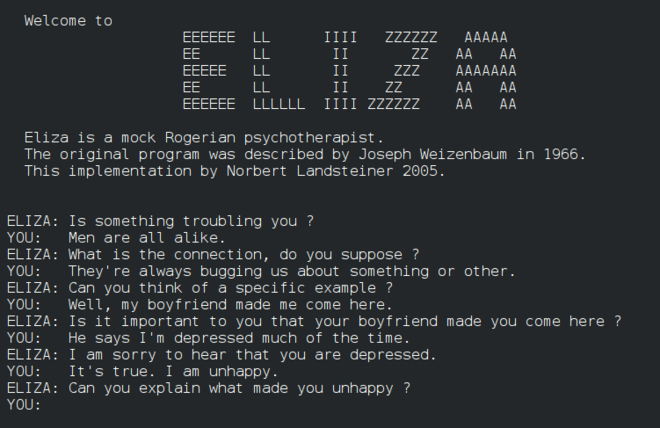
Finally: I was looking into the original Eliza recently and thought these four links on it were good: one, two, three and four. Then there’s these stories: on AI to help seniors with loneliness, the new york times / openai/  microsoft lawsuit, another AI lawsuit involving air canada’s chatbot. stunt AI (bot develop software in 7minutes instead of 4 weeks) and a really good AI hub: chathub.gg.

Whew! That’s a tremendous amount of research I’ve done on AI in the last year. I hope you find some of it useful.

On futzing around with code

An example of a Prolog program

I was futzing around with code the other day. I wrote some html/css/javascript and then I wrote some unrelated prolog code. None of it had any value. The code didn’t solve some important problem. Some might consider it a waste of time.

But it wasn’t a waste. In both cases, I learned skills I didn’t have until I wrote the code. Those skills have value for the next time I do have to solve an important problem. Besides that, I enjoyed myself while coding. I was proud of myself for getting the code to work. That enjoyment and pride have value too.

Futzing around is a form of play, and any form of play is good for us as humans. Remember that the next time you consider taking on seemingly useless activities.


If you are using python packages like xmltodict or yaml, here is something to be aware of

If you are using python packages like xmltodict or yaml to write and read your own XML and yaml files, you probably don’t need to know this. But if you are reading someone else’s files, here is something to be aware of.

This week I had to process an XML files in python. No problem, I thought, I’ll use a python package like xmltodict to translate the XML into a dictionary variable. Then I could edit it and print out a new file with the changes. Sounds easy!

Well, first off, it wasn’t too easy: the nesting was horrendous. However, with some help from VS Code, I was able to power through and get the value I want.

Here’s where I got burned. I wanted to change the text in the XML file, so I had a statement like this to read it


mytext = python_dict["graphml"]["graph"]["node"][nodecount]["graph"]["node"][i]["data"]["y:ShapeNode"]["y:NodeLabel"]["#text"]

and then a simple statement like this to change it to lower text:


python_dict["graphml"]["graph"]["node"][nodecount]["graph"]["node"][i]["data"]["y:ShapeNode"]["y:NodeLabel"]["#text"] = mytext.lower()

Very basic.

Now this particular file is an XML file that has a graphml extension, which allows an editor like YED to read it. YED can read the original file, but it turns out xmltodict writes the file in such a way that the YED editor can no longer see the text. I don’t know why.

I spent hours working on it until I finally gave up. I wrote a much dumber program that read through the graphml file a line at a time and changed it the way I wanted to. No fancy packages involved. Dumb but it worked.

This is the second time this year a package has given me problems. In late January I wrote some code to parse yaml files for a client to extract information for them and to produce a report. Again, there is a package to do that: yaml. Which is….good…except when the yaml it is processing it is poorly written. Which this yaml was.

Again, I spent hours linting the yaml and in some cases having to forgo certain files because they were poorly constructed. What should have been easy — read the yaml file, transform it, write a new yaml file — was instead very difficult.

And that’s often the problem with yaml files and XML and JSON files: they are often handcrafted and inconsistent. They MAY be good enough for whatever tool is ingesting them, but not good enough for the packages you want to use to process them.

I think those packages are great if you are making the input files. But if you are processing someone elses, caveat emptor (caveat programmer?).

Things better on the iPad than my iPhone

Apple released it’s latest iPad (Pro) recently and whenever this happens people debate the value of the iPad in general and ask questions like: is the iPad worth it? 

I used to ask myself that question too. After all, between my iPhone and my Macbook, I thought I had all the computing technology I needed. But in the last year I got a new iPad — not even the latest and greatest — and I have to say that the iPad just does certain things better than either one. It’s especially better than my iPhone for:

  • Streaming video: Disney, Netflix, YouTube and more are all much better than my iPhone.
  • The library app Libby is much better, especially with the magazine section
  • The news sites like the New York Times and Washington Post are great on the iPad
  • Instacart: I can see more options when I order from it
  • Shopping sites like Zara and Uniqlo are better too for the same reason
  • X and other social media sites look great on my iPad, but not threads or Instagram because of some design ideas Meta has that are wrong.

And what I like about the iPad over my Macbook is a) there is no work apps on it so I don’t get distracted by work b) I can recline with the iPad (I don’t like doing that with the Macbook…it’s just no comfortable).

That’s just a start of my list.  I’ll keep updating this list for anyone debating getting an iPad. 

How to simply merge PDF files on a Mac for free with no additional software

If you want to merge PDF files on a Mac, you might be tempted to use a tool like www.ilovepdf.com. Worse still, you might try and do it from Adobe’s Acrobat site and end up signing up to pay $200 or more per year for the privilege!

The good news is if you are on a Mac, you don’t need to do any of that.

Instead, open your PDF files using Preview. Make sure your view shows Thumbnails of the pages in each document. Then drag the thumbnail pages of one document into another. Then save the document you added the thumbnails to and you are done.

For example, let’s say you have two PDF files: abc.pdf and xyz.pdf. You want all the pages in abc.pdf to be in xyz.pdf. You open them both using Preview, you drag the thumbnails of abc.pdf over to the thumbnail section of xyz.pdf. Then you save xyz.pdf. (You can save abc.pdf as an empty document or quit and have it revert back to how it was.)

If you want to leave abc.pdf and xyz.pdf untouched but merge them into a third document, first copy xyz.pdf and give it a name like abcxyz.pdf. Then open abc and abcxyz.pdf using Preview. Then copy the thumbnails of abc.pdf into abcxyz.pdf and save abcxyz.pdf and quit and do not save abc.pdf. Now you have three files: abc.pdf and xyz.pdf are unchanged and abcxyz.pdf are merged copies of the two of them.

Happy Birthday to Gmail, from this old Yahoo email user!

Happy birthday, Gmail! According to the Verve, you are 20 years old! The big two-oh! Sure, you had some growing pains at first. And then there was the whole period when you and your users felt snobbish about their gmail accounts and looked down on people with yahoo accounts. But that’s all water under the bridge. We’re all old now.

Google is notorious for killing off services, but it is inconceivable they’ll ever kill off you, Gmail. I expect you and your users will be around for a long long time. Heck even an old yahoo email account user like me uses Gmail from time to time. There’s no guarantees, of course, but I expect to be revisiting this post in 2034, god willing, and writing about your 30th. Until then…

The way to make your Apple Watch more useful is to change your App View

If you want to make your Apple Watch more useful, you want to change your App View. Here’s how.

On your iPhone, find the Watch app icon and click on it. Look for App View and click on it. From here you can change the view to Grid View. (Grid View looks like the watch in the photo above.) Now click on Arrangement.

Once in Arrangement, hold your finger on an icon of something you use often. Drag your finger tip and the icon to the top left. Keep doing that so all the Watch apps you will use the most are on the top rows. Once you have it the way you like it, exit the Watch app.

If you are stuck as to what to put on top, my top apps are:

  1. Stopwatch
  2. Workout
  3. IFTTT
  4. Weather
  5. Text
  6. Phone
  7. Calendar
  8. Heart rate monitor
  9. Activity
  10. Maps

I have a few dozen more Watch apps, but those are the ones I use often.

If you want to see what you can have on your Watch, go back to the Watch app on your phone and scroll down to see what apps are installed on your watch and what ones you can install.

Once you rearrange the Watch apps,  press in the crown on your Watch. You will now see the Watch apps organized the way you want. I bet you start pressing your crown more to access and use the apps you have installed.

The Apple Watch is great. Squeeze more greatness from it by taking advantage of the Watch apps you have.

It’s winter. Time to curl up with a good…list of tech links :) (What I find interesting in tech January 2024)

500Wow. I have not posted any tech links since last September. Needless to say, I’ve been doing alot of reading on the usual topics, from architecture and cloud to hardware and software. I’ve included many of them in the lists below. There’s a special shout out to COBOL of all things. Is there something on DOOM! in here? Of course there is. Let’s take a look….
Architecture: A mixed bag here, with some focus on enterprise architecture.

Cloud: a number of links on cloud object storage, plus more….

COBOL: COBOL is hot these days. Trust me.

Hardware: mostly but not exclusively on the Raspberry Pi….

Mainframe/middleware: still doing mainframe stuff, but I added on some middleware links….

Linux/Windows: mostly Linux but some of the other OS….

Software: another mixed bag of links…

Misc.:  For all the things that don’t fit anywhere else….also the most fun links….

Thanks for reading this!

Who let the (robot) dogs out? And other animated machines on the loose you should know about

A year ago I wrote: Sorry robots: no one is afraid of YOU any more. Now everyone is freaking out about AI instead. A year later and it’s still true. Despite that, robots are still advancing and moving into our lives, albeit slowly.

Drones are a form of robot in my opinion. The New York Times shows how they are shaping warfare, here. More on that, here.

Most of us know about the dog robots of Boston Dynamics. Looks like others are making them too. Still not anywhere as good as a real dog, but interesting nonetheless.

What do you get when you combine warfare and robot dogs? These here dogs being used by the US Marines.

Someone related, the NYPD has their own robot and you can get the details  here.

Not all robots are hardcore. Take the robot Turing for example (shown below). Or the ecovacs, which can mop your floors and more.

What does it all mean? Perhaps this piece on the impact of robots in our lives can shed some light.

Robots are coming: it’s just a matter of time before there are many of them everywhere.

Advent of Code: a great way for coders to celebrate this season

You’ve likely heard of Advent, but have you heard of Advent of Code? Well let the maker of the site, Advent of Code 2023, explain what it is:

Hi! I’m Eric Wastl. I make Advent of Code. I hope you like it! I also made Vanilla JS, PHP Sadness, and lots of other things. You can find me on Twitter, Mastodon, and GitHub. Advent of Code is an Advent calendar of small programming puzzles for a variety of skill sets and skill levels that can be solved in any programming language you like. People use them as interview prep, company training, university coursework, practice problems, a speed contest, or to challenge each other. You don’t need a computer science background to participate – just a little programming knowledge and some problem solving skills will get you pretty far. Nor do you need a fancy computer; every problem has a solution that completes in at most 15 seconds on ten-year-old hardware.

It seems like just the thing for coders of all kinds, from amateurs to professional devs. Check it out. And if you want to get involved from day 1 in 2024, make a note on your calendar (assuming Eric still does it.)

The benefits you get running Ubuntu/Linux on an old computer and why you should get one

I am a big fan of usable old computers. After you read this, you will be too.

Currently I have an old Lenovo M57p ThinkCentre M series that was made around 2007 that still works fine and is running Ubuntu 20.04 (the latest version is currently 22.04, so this is very current). Not only that, but it runs well. It never crashes, and I can download new software on it and it runs without a problem.

Here are some the benefits of having such a computer:

  • it can act as my backup computer if I have a problem with my main work one. I can read my email at Yahoo and Google. If I need to, I can use things like Google sheets to be productive. I can download software to do word processing on it too. I can attend online meetings. Most of my day to day work functions can be done if need be.
  • it can act as a test computer. I was writing a document on how to use a feature in IBM cloud, but I needed to test it out with a computer other than my work machine (which has special privileges). This old machine was perfect for that.
  • it can also act as a hobby computer. I like to do things with arduinos and Raspberry Pi computers and the Lenovo computer is great for that.
  • it can help me keep up my Unix skills. While I can get some of that by using my Mac, if I had a Windows machine for work I would especially want to have this machine for staying skilled up.
  • it can do batch processing for me. I wrote a Python program to run for days to scrape information from the Internet and I could just have this machine do that while I worked away. I didn’t need to do any fancy cloud programming to do this: I just ran the Python program and checked on it from time to time.
  • It has lots of old ports, including VGA and serial ports. Will I ever need them? Maybe! It also has a CD-ROM drive in case I need that.

As for the version of Linux, I tend to stay with Ubuntu. There’s lots of great Linux distros out there, but I like this one. Plus most times when I come across online Linux documentation, I will find it has explicit references to Ubuntu.

Now you can buy an old machine like this online from Amazon or eBay, but if I can do this on a 15 year old computer, you likely can ask around and get one for free. A free computer that can do all this? The only thing that should be stopping you is how to get started. For that, you will need these Ubuntu install instructions and a USB drive.

Good luck!

P.S. The software neofetch gave the output above. To install it, read this: How do I check my PC specs on Ubuntu 20.04.3 LTS?

If you can’t write to your USB drive on your Mac and you want to fix that, read this

If you are reading this, chances are you cannot write to your USB drive on your Mac.

To force a USB drive to be both read and writable, I did the following (note, I had a Kingston drive, so my Mac identified it as KINGSTON and I went with that. If you buy a USB drive that is not from Kingston, you may see something different):

  1. In Finder, go under Applications > Utilities and start Disk Utility
  2. Click on your USB disk on the left (E.g. KINGSTON) and then click on Erase (top right)
  3. You can change the name if you want (I left it at KINGSTON) and make Format: ExFAT
  4. Once you do that, click the Erase button to format the disk
  5. Click on Unmount (top right) to unmount the disk
  6. Open a terminal window (Open Finder. Go to Applications > Utilities > Terminal) Enter the following diskutil list command in the Terminal window and note the results:
    diskutil list
    /dev/disk2 (external, physical):
    #: TYPE NAME SIZE IDENTIFIER
    0: FDisk_partition_scheme *62.0 GB disk2
    1: Windows_NTFS KINGSTON 62.0 GB disk2s1

    Note it my case the KINGSTON drive is associated with disk2s1. (you see that on the line “1: Windows_NTFS KINGSTON 62.0 GB disk2s1”. It may be different for you. Regardless, you want the drive name that comes after the 62.0 GB.)
  7. While in the terminal window, make a corresponding directory in the /Volumes area of your machine that has the name of your drive (in my case, KINGSTON)
    sudo mkdir /Volumes/KINGSTON
  8. Also in the terminal window, you can  mount your disk as writable and attach it to the mount point sudo mount -w -t ExFAT /dev/disk2s1 /Volumes/KINGSTON

You should now be able to write to your drive as well as read it.

How to cast your Chrome tab to your TV in October 2023

IF you are a fan of using Chrome to cast one of your tabs to a TV, you may be surprised to find that the Cast option is missing. Worse, if you look in places like Chromecast Help on how to Cast a Chrome tab on your TV, you may not find that all that helpful.

Fear not. The Cast option is still there, just hidden. As before, go to the top right of your browser where the three dots are and click on them. Then click on Save and Share… and look for Cast…

Now you can Cast as you did before.

How to work with Java on your Mac, including having multiple versions of Java on your Mac

The easiest way to install Java on your Mac is by using homebrew. Honestly, if you don’t have homebrew on your Mac, I highly recommend you do that. Plus it’s easy to do. All you need is to enter the following:


$ /bin/bash -c “$(curl -fsSL https://raw.githubusercontent.com/Homebrew/install/HEAD/install.sh)”

Now that you have homebrew installed, you can install Java by entering:
$ brew install java

That should install the latest version of it. If you want to install an older version, you can do something like this:
$ brew install java11

If you’ve done this a few times, you may have a few different version of Java installed liked me, and if you enter the following command it may look something like this:

% ls /usr/local/opt | grep openjdk
openjdk
openjdk@11
openjdk@18
openjdk@19
openjdk@20
openjdk@21
%

As you can see, I have a few different versions installed. However, if I do this:

% java --version
openjdk 11.0.20.1 2023-08-24
OpenJDK Runtime Environment Homebrew (build 11.0.20.1+0)
OpenJDK 64-Bit Server VM Homebrew (build 11.0.20.1+0, mixed mode)
%

It shows the OS thinks I have JDK version 11 running.

Why is that? Well, it turns out if I enter this:

% ls /Library/Java/JavaVirtualMachines/
jdk1.8.0_261.jdk openjdk-11.jdk
%

I can see I have two JDKs installed there. MacOS will go with the latest JDK there when you ask what version is installed, in this case openjdk-11.

If I want the OS to use a different version like openjdk 21, I can enter this symbolic link (all one line):

sudo ln -sfn /usr/local/opt/openjdk@21/libexec/openjdk.jdk /Library/Java/JavaVirtualMachines/openjdk-21.jdk

Then when I check on things, I see the following:


% java --version
openjdk 21 2023-09-19
OpenJDK Runtime Environment Homebrew (build 21)
OpenJDK 64-Bit Server VM Homebrew (build 21, mixed mode, sharing)
% ls /Library/Java/JavaVirtualMachines/
jdk1.8.0_261.jdk openjdk-11.jdk openjdk-21.jdk
%

Now the system thinks openJDK 21 is running.

If I want to reverse this and go back to openjdk 11, I can use this unlink command and see this:

% sudo unlink /Library/Java/JavaVirtualMachines/openjdk-21.jdk
% java --version
openjdk 11.0.20.1 2023-08-24
OpenJDK Runtime Environment Homebrew (build 11.0.20.1+0)
OpenJDK 64-Bit Server VM Homebrew (build 11.0.20.1+0, mixed mode)
% ls /library/Java/JavaVirtualMachines
jdk1.8.0_261.jdk openjdk-11.jdk
berniemichalik@Bernies-MacBook-Air-4 ~ %

Normally I would recommend going with the latest and greatest version of Java on your Mac. However, you may have a situation where you have some Java code that only runs on older versions of Java. This is one way to deal with that.

For more on this, here are some good links I found:

AI scales up and out. Here’s some pieces that shows that.


While there are still prophets and pundits arguing doom and gloom regarding AI, most people and organizations have moved past them and have been adopting the technology widely. Some times that has been good, some times not. To get a sample of how it’s going, here’s a few dozen pieces on AI worth a look:

  1. The WSJ argues that you soon won’t be able to avoid AI at work or at home. It’s true, but so what?
  2. AI is being used to deal with the threat of wildfires. Good. Also good: AI allows farmers to monitor crops in real time. More good AI:  AI used to find antibodies. By the way, here’s a piece on how to turn chatgpt into a chemistry assistant.
  3. A worthwhile piece on AI lawsuits that are coming due to intellectual property rights.
  4. The New York Times has stopped Openai from crawling its site. More on that, here.
  5. Here’s the associated press AI guidelines for journalists.
  6. Students and writers, bookmark this in case you need it: what to do when you’re accused of writing with AI.
  7. Also, what can you do when AI lies about you?
  8. This is dumb: AI builds software under 7 minutes for less than a dollar.
  9. It’s not surprising hackers from lots of security holes in AI.
  10. Take this with a big grain of salt…one of the leaders from Palantir wonders if AI should be compared to atomic energy.
  11. This is bad: how facial recognition tech resulted in a false arrest.
  12. This is not good: a story on using AI to generate books and other junk here.
  13. This is different:  Microsoft Teams is pairing up with Maybelline to provide AI generated beauty filters / virtual makeup.
  14. It’s not news but it is interesting that NVIDIA is a hot company now due to AI. See more about that, here.
  15. Maybe chatgpt and other AI will just be a tool to do inefficient things efficiently.
  16. A thoughtful piece on powering generative AI and large language models with hybrid cloud with a surprise ending, from one of the senior leaders in my group at IBM.

(Photo: link to image in the NVIDIA story. By Philip Cheung for The New York Times)

Forty things that have changed in IT and IBM in the last forty years (from 1983 to 2023)

If you were to ask me, on this day, what has changed with regards to computers and IT and IBM in the last 40 years, I would say it’s this:

  1. Access: Very few people had access to computers 40 years ago. Those folks used mainframes, minicomputers and the occasional personal computer from Commodore or Radio Shack or this new start up called Apple. Now everyone has access to a computer they carry around in their pocket. (We call it a smart phone, but it’s really a powerful computer that makes calls.)
  2. Ubiquity: Back in the early 80s the vision of everyone having a computer / terminal on your desk was just that: a vision. The few that did have these big monster 3277 or 3298 metal terminals or if you were lucky, a 3279-color terminal. People worked on paper.
  3. email: One of the drivers of having a terminal on your desktop was to access email. Back then IBM’s email system was called PROFS (Professional Office System) and it meant you no longer had to send you three-part memos (yes people did that with carbon paper between the memo paper, so you could give the cc (carbon copy) to someone else). You sent electronic mail instead. Everyone thought it was great. Who knew?
  4. Viruses: Viruses were new. My first was called the CHRISMA exec. In those days every Christmas people would send around runnable scripts (ie. Execs) and they would be the equivalent of digital Christmas cards. The CHRISMA digital Christmas card came from outside IBM. It read your address book and sent itself to all the people you knew. Sounds like fun. In fact it overwhelmed the IBM networks and IBMers around the world and we had to shut most things down to try to purge the network of this thing. It took days. Not fun.
  5. Networks: Companies sometimes had their own networks: IBM had one called VNET. VNET connected all of IBM’s computers worldwide, and it had connection points with outside networks like BITNET too, which is where the CHRISTMA exec was. There was no Internet per se.
  6. Network size: IBM’s VNET had over 1000 VM computers all connected to each other. All of them had an id called OP which was what system operators used to sometimes control the VM mainframe. Once on second shift another system operator and I wrote a program to messages all 1000+ ops in the world the equalivant of “hi hows it going”. To our surprised many of them wrote back! We manually started messaging them back and even became friends with some of them over time. It was like twitter before twitter or gchat before gcchat, etc.
  7. Documentation: Computer documentation was hard to come by in the 80s, and if you had any, you might hide it in your desk so no one else could take it. The operators had a special rack of documentation next to where they worked. I was thrilled in the 90s when you could walk into a bookstore and actually buy books that explained how things worked rather than having to get permission from your manager to order a Redbook from IBM publishing in the US.
  8. Education: In the 80s you could get a job in IBM operations with a high school diploma. Universities in Canada were just ramping up degree programs in computer science. By the start of the 90s most new hires I knew had at least a university degree and more likely a comp sci or engineering degree.
  9. Software: We take Microsoft’s dominance in software for granted, but decades ago Lotus’s 123 was the spreadsheet program we used, just like we used Wordstar or Wordperfect for word processing. Microsoft worked very hard to dominate in that space, but in 1984 when the ads for Macintosh came out, Gates was just one of three people in the ad touting that their software ran on a Mac.
  10. Minicomputers: In between the time of the mainframe and PC, there was the rise of minicomputers. DEC in particular had minicomputers like the VAX systems that gave IBM a run for the money. IBM countered with machines like the 4300 series and the AS/400. All that would be pushed to the site by….
  11. IBM’s PC: The first truly personal computer that had mass adoption was the IBM PC. A rather massive metal box with a small TV on top, it could run the killer apps like Lotus 123. Just as importantly, it could run a terminal emulator, which meant you could get rid of old terminals like the 3270 series and just give everyone a PC instead. Soon everyone I worked with had a PC on their desk.
  12. Modems: modems in the 1980s were as big as a suitcase. If a client wanted one, an IBM specialist would go their location and install one for you. In the 90s people got personal modems from companies that sent data at 9600 bps or 14000 bps or even 56 kbps! Today people have devices the size of a book sitting at home and providing them with speeds unthinkable back then.
  13. Answering machines: The other thing people used to have on their desks besides a PC was an answering machine. Before that every office had a secretary. If you weren’t at your desk the call would go to them and they would take the message. If you had been away for a time you would stop by their desk and get any slips of paper with the name and numbers of people to call back. Answering machines did away with all that.
  14. Paper planners: Once you did call someone back, you would get out your day runner / planner and try to arrange a meeting time with them. Once a year you would buy new paper for it so you could keep track of things for the new year. In its heyday your planner was a key bit of information technology: it was just in paper form.
  15. Ashtrays and offices: it may seem hard to believe but back then smoking in the office was common, and many people smoked at their desk. It was a long and hard process to eliminate this. First there was smokeless ashtrays, then smoking areas, then finally smokers had to smoke outside, then smoke in areas well away from the main door. Likewise people worked in cubicles. It was miles away from working at places like Google or WeWork, never mind working from home.
  16. The rise of Microsoft and the decline of IBM: The success of the IBM PC lead to the success of Microsoft. The adoption of MS-DOS as the operating system for the IBM PC was a stroke of luck for Microsoft and Bill Gates. It could have easily been CP/M or some other OS. With the rise of Microsoft and the personal computer, IBM started to lose its dominance. IBM’s proprietary technologies like OS/2 and TokenRing were no match for DOS / Windows or Ethernet. IBM did better than some computer companies like Wang, but it’s days of being number one were to be over.
  17. The role of the PC: for a time in the 80s you could be a company and not have computers. Paper and phones were all you needed. We used to say that companies that used computers would beat any competitors not using computers. And that became the case by the end of the decade.
  18. The rise and fall of AI: now AI is hot, but in the late 80s and early 90s it was also hot. Back then companies were building AI using languages like LISP and Prolog, or using specialized software like IBM’s Expert Systems Environment to build smart tech. It all seemed so promising until it wasn’t.
  19. LANs: all these PCs sitting on people’s desks needed a way to talk to each other. Companies like Microsoft released technology like Windows for Workgroups to interconnect PCs. Office had servers and server rooms with shared disks where people could store files. There was no SharePoint or Confluence.
  20. The rise of Ethernet: there were several ways to set up local networks back then. IBM had its token ring technology. So did others. It didn’t matter. Eventually Ethernet became dominant and omnipresent.
  21. Email for everyone: just as everyone got PCs and network access, in the 90s eventually everyone got mail. Companies ditched physical mail and FAXes for the speed and ease of electronic mail, be it from AOL or Compuserve or someone else.
  22. Network computers: one thing that made personal computers more cost effective in the 90s for people was a specialized computer: the network computer. It was a small unit that was not unlike a terminal, and it was much cheaper for business than a PC. To compete, the prices of PCs soon dropped dramatically and the demand for the network computer died off.
  23. EDI: another thing that was big for a time in the 90s was EDI. IBM had a special network that ran special software that allowed companies to share information with each other using EDI. At one point IBM charged companies $10/hour to use it. Then the Internet rose up and ISPs charged companies $30/month and suddenly EDI could not compete with a PC using a dialup modem and FTP software provided by their ISP.
  24. Electronic banking: with personal computers and modems becoming common in homes, banks wanted to offer electronic banking to them. Some banks like the Bank of Montreal even established a specialized bank, mbanx, that was only online. Part of my job in the 90s was to help banks create the software they would give out to allow their customers to do banking via a private network. While most banks kept their branches, most day to day banking now happened online.
  25. The Internet and the web: if the PC changed everything in the 80s, the Internet changed everything in the 90s. Suddenly ISPs were springing up everywhere. Even IBM was an ISP for a time. People were scrambling to get software to allow them to connect their PC and US Robotics 14.4 kbps modems to access FTP sites and Usenet and more. No sooner did this happen than the World Wide Web and browsers bust on the scene. For many people, the Web was the Internet. So long Gopher; goodbye WAIS.
  26. Google: finding things on the Internet was no easy thing. It only got worse as web sites shot up everywhere. Google changed the Web and made it usable. They changed email too. Sites like Yahoo! wanted to make you pay for more storage: Google gave people more storage than they could ever need.
  27. From desktops to laptops: with home networks in place, people wanted to be able to bring home their computers to work remotely. I used to have a luggable computer that weighed 40 pounds that I would bring back and forth daily. As more people did this, computer companies got smart and made the portable computers smaller and better. Apple was especially good at this, but so was IBM with their Thinkpad models. As time went by, the computer you used at work became a laptop you use to work everywhere.
  28. The Palm Pilot: the Palm Pilot succeeded where Apple and others had failed. They had come up with a device you could use to track your calendar, take notes, and more. All you had to do was put it in a cradle and press the sync button and everything would be loaded onto your PC. Bye bye paper planners. Hello Personal Digital Assistant.
  29. IBM Services: One time IBM gave away its services. By the 90s they had a full one line of business devoted to providing their people to clients to help them with their business. People like me moved from helping run IBM’s data centers to going around to our clients helping them run their data centers and more.
  30. Y2K: if Y2K was a non-event, it was only because of the countless hours put in by techies to make it one. Even me. I was shocked to discover that EDI software I wrote for a Quebec bank in 1992 was still running on PC/DOS computers in 1999. It was quickly rewritten before the deadline to keep running on January 1, 2000. Just like countless software worldwide.
  31. E-business: if PCs changed business in a big way in the 80s, e-business changed them in a big way in the 90s. Even with the dot com era crash, there was no going back. With e-banking your retail branch was open 24/7; with e-business, the same was true of your favorite local (or non-local) business.
  32. The resurrection of Apple and Steve Jobs: two things transformed IT and made it cool: one was the Web and two was the return of Jobs to Apple.  Boring beige boxes were out: cool colored Macs made for the Internet were in. People were designing beautiful web sites with red and yellow and blue iMacs.And the success of those iMac led the way to the success of the iPod, and the success of the iPod led to so much more.
  33. Blackberry and dominance of smartphones: if the Palm Pilot got mobile computing started, the Blackberry accelerated that. Email, texting, and more meant that just like online banking and e-business, you were reachable 24/7. And not just reachable the way you were with a pager/beeper. Now you could reply instantly. All the computer you needed fit in your hand.
  34. The decline of analog: with the rise of all this computing came the decline of anything analog. I used to buy a newspaper every day I would commute to work. People would bring magazines or books to read. If you wanted to watch a film or listen to a song, it depended on something physical. No longer.
  35. The rise of Unix/Linux: you use Unix/Linux every day, you just don’t know it. The web servers you use, the Android device you make calls on, the Mac you write emails on: they all depend on Unix/Linux. Once something only highly technical people would use on devices like Sun computers or IBM pSeries machines is now on every device and everywhere.
  36. Open Source: in the 90s if you wanted software to run a web server, you might pay Netscape $10,000 for the software licence you needed. Quickly most people switched to the free and open source Apache web server software to do the same job. This happened over and over in the software world. Want to make a document or a spreadsheet? You could get a free version of that somewhere. For any type of software, there is an open source version of it somewhere.
  37. Outsourcing/offshore: if people could work from anywhere now, then the work that was done locally could now be done anywhere. And it increasingly was. No one locally does the job I did when I first started in the computer industry: it’s all done offshore.
  38. The Cloud: if work could be done anywhere by anyone, then the computers needed to do it could be the same. Why run your own data center when Amazon or Microsoft or IBM or Google could do it better than most? Why buy a computer when you only need it for an hour or a day? Why indeed?
  39. The return of AI: finally, AI has returned after a long time being dormant, and this time it’s not going to be something used by a few. Now everyone can use it and be more productive, smarter. Like the PC or the Internet before it, AI could be the next big thing.
  40. Web 2.0/Social Media: One thing to insert in between the Internet and AI in terms of groundbreaking changes in IT is Social Media. Both public social media like this and private social media like Slack and Microsoft Teams. Without social media I couldn’t share this with you.

In 40 years the devices have gotten smaller, the networks have gotten bigger, and the software has gotten smarter. Plus it’s all so much cheaper. If I had to sum it up, I’d say that sums up all the changes that have happened in the last 40 years. And we are just getting started.

You should set up two-factor authentication (2FA) on Instagram. And you should use an authenticator app

You might think: no one is going to hack my Instagram account. And you might be right. But here’s the thing: if someone does hack your account, you have next to no chance of getting someone at Instagram to restore it. Rather than make it easy for hackers to take over your account, spam your friends and delete years of photos, you should use 2FA. To do so, read this article: How to Turn on Two-Factor Authentication on Instagram.

While you can use SMS, I recommend using an authenticator app. That article explains how you can do it either way. Authenticator apps are more secure than SMS and are the way to go these days. For more on that, see PCMag.

IBM Cloud tip: use Multifactor authentication (MFA) also called 2-Factor Authentication (2FA) with your account

If you are using IBM Cloud technology, I recommend you consider setting up MFA for your login account. MFA makes your access more secure, and it’s easy to do. To see how easy it is, go here: IBMid – Verifying your identity and configuring MFA. It’s a well laid out description about how to do it.

You can use either a verification app or email to get a verification code. I recommend an app. While email works, it can take several minutes to get the code, while with an app you get a code instantly. As for apps, I use IBM’s verify app, but you can use Google’s and likely Microsoft’s.  They all work fine. Just go to your favorite app store and download one. (Make sure it comes from IBM or Google or Microsoft, not from some developer with a lookalike app.)


If you use two/multifactor authentication, make sure you have a backup

Multi-Factor authentication is great. There is only one downside: you lose your phone. The way to deal with that is to have a backup. To set that up, either read this if you use Microsoft’s authenticator: Back up and recover account credentials in the Authenticator app from Microsoft Support or this if you use something else for authentication: Make Sure You Have a Backup for Two-Factor Authentication.


My IT Beach Reads this summer :) (What I find interesting in tech September 2023)


Yes, this is the stuff I read for fun. Not on the beach, but at least in a comfy chair out in the hot sunny weather. 🙂

Architecture links: mostly my IT architecture reading was AWS related this summer, but not all of it.

Cloud links: a mixed bag of things, all good.

Ops links: I’ve been consulting with clients on operations work, among other things, so here’s  pieces on AIOps, DevOps and more that I thought were good:

Software links: mostly dashboard related, since I was working on…dashboards.

Finally: here’s a mix bag of things, quantum and otherwise, that I enjoyed.

Will there be Doom? (What I find interesting in hardware/software in tech Jul 2023)

While my last few posts on IT have been work related, most of these are on hardware and software and tend to be more hobby and fun related.

Hardware links:

Software links:

Hope something there was useful! As always, thanks for reading!

P.S. Before I forget… here’s a piece on how a hacker brought Doom to a payment terminal. Love it!